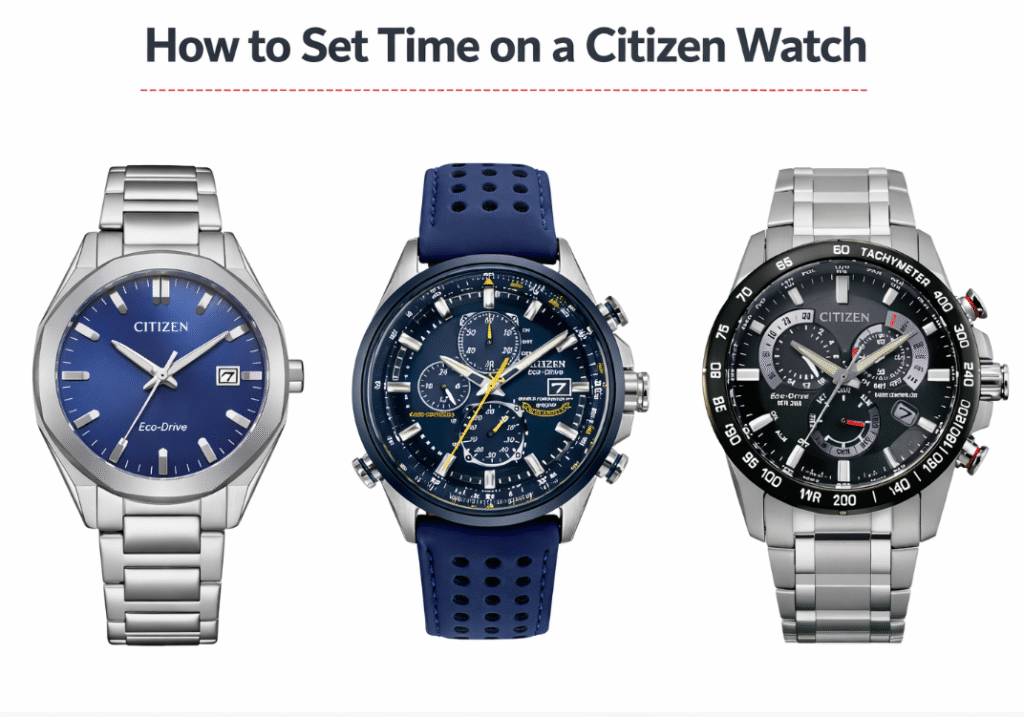
Citizen watches are known for their precision, durability, and advanced technology. Many models use Eco-Drive solar power, radio-controlled timekeeping, or even GPS synchronization. Because of these features, setting the time on a Citizen watch can be slightly different depending on the model.
If you own a Citizen Eco-Drive, Skyhawk, Blue Angels, Promaster, or Navihawk, this guide will explain how to set the time correctly.
- How to Set Time on a Citizen Eco-Drive Watch
- How to Set Time on a Citizen Eco-Drive Watch
- Step 1 – Pull the Crown Out
- Step 2 – Rotate the Crown
- Step 3 – Push the Crown Back
- How to Set Time and Date on a Citizen Eco-Drive Watch
- Step 1
- Step 2
- Step 3
- How to Set Time on Citizen Eco-Drive Radio Controlled Watches
- Manual Sync Method
- How to Set Time on Citizen Skyhawk Eco-Drive
- Steps
- How to Set Time on Citizen Blue Angels Watch
- Citizen Watch Time Setting for Popular Movements
- How to Set Time on Citizen Promaster Watches
- Steps
- Troubleshooting Citizen Watch Time Settings
- The hands move incorrectly
- How to Set Time on a Citizen Eco-Drive Watch
- Step 1 – Pull the Crown Out
- Step 2 – Rotate the Crown
- Step 3 – Push the Crown Back
- How to Set Time and Date on a Citizen Eco-Drive Watch
- Step 1
- Step 2
- Step 3
- How to Set Time on Citizen Eco-Drive Radio Controlled Watches
- Manual Sync Method
- How to Set Time on Citizen Skyhawk Eco-Drive
- Steps
- How to Set Time on Citizen Blue Angels Watch
- Citizen Watch Time Setting for Popular Movements
- How to Set Time on Citizen Promaster Watches
- Steps
- Troubleshooting Citizen Watch Time Settings
- The hands move incorrectly
- The watch shows the wrong time zone
- The watch does not update automatically
- Quick Tips for Citizen Watch Owners
- Final Thoughts
- The watch shows the wrong time zone
- The watch does not update automatically
- Quick Tips for Citizen Watch Owners
- Final Thoughts
- Step 1 – Pull the Crown Out
- Step 2 – Rotate the Crown
- Step 3 – Push the Crown Back
- How to Set Time and Date on a Citizen Eco-Drive Watch
- Step 1
- Step 2
- Step 3
- How to Set Time on Citizen Eco-Drive Radio Controlled Watches
- Manual Sync Method
- How to Set Time on Citizen Skyhawk Eco-Drive
- Steps
- How to Set Time on Citizen Blue Angels Watch
- Citizen Watch Time Setting for Popular Movements
- How to Set Time on Citizen Promaster Watches
- Steps
- Troubleshooting Citizen Watch Time Settings
- The hands move incorrectly
- The watch shows the wrong time zone
- The watch does not update automatically
- Quick Tips for Citizen Watch Owners
- Final Thoughts
- Author
How to Set Time on a Citizen Eco-Drive Watch
How to Set Time on a Citizen Watch (Eco-Drive, Skyhawk, Promaster & More)
Citizen watches are known for their precision, durability, and advanced technology. Many models use Eco-Drive solar power, radio-controlled timekeeping, or even GPS synchronization. Because of these features, setting the time on a Citizen watch can be slightly different depending on the model.
If you own a Citizen Eco-Drive, Skyhawk, Blue Angels, Promaster, or Navihawk, this guide will explain how to set the time correctly.
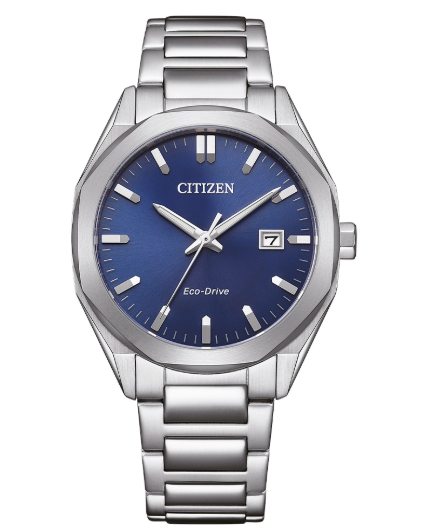
How to Set Time on a Citizen Eco-Drive Watch
Most Citizen Eco-Drive watches use a crown-based adjustment system similar to traditional analog watches but with additional modes.
Step 1 – Pull the Crown Out
Locate the crown on the side of the watch.
Pull the crown gently to the second click position. This activates the time setting mode.
Step 2 – Rotate the Crown
Turn the crown to move the hands forward or backward.
Adjust the watch until the correct time is displayed.
For better accuracy, many watchmakers recommend moving the minute hand slightly past the correct minute and then returning it back.
Step 3 – Push the Crown Back
Once the correct time is set, push the crown back to its original position.
The watch will resume normal operation.
How to Set Time and Date on a Citizen Eco-Drive Watch
Some Citizen watches also allow the date to be adjusted manually.
Step 1
Pull the crown to the first click.
Step 2
Rotate the crown until the correct date appears.
Avoid changing the date between 9 PM and 3 AM, because the internal calendar mechanism may already be engaged.
Step 3
Push the crown back to lock the settings.
How to Set Time on Citizen Eco-Drive Radio Controlled Watches
Some advanced Citizen watches automatically synchronize time using radio signals.
Examples include:
- Citizen Skyhawk
- Citizen Blue Angels
- Citizen Promaster Skyhawk
- Citizen PCAT
In these watches the time usually updates automatically.
Manual Sync Method
- Pull the crown out to the first position
- Rotate the crown until the RX or Receive mode appears
- Press the upper button
- Place the watch near a window
The watch will attempt to receive a time signal and adjust automatically.
How to Set Time on Citizen Skyhawk Eco-Drive
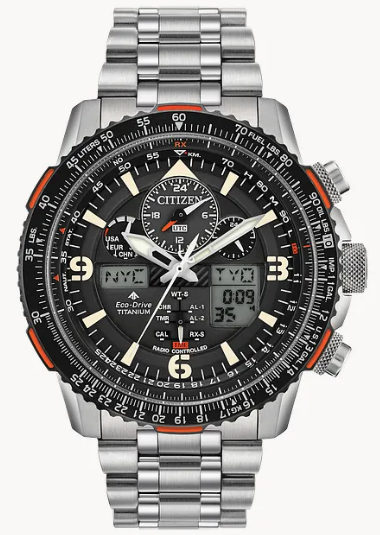
Citizen Skyhawk models include world time and aviation features, so the process is slightly different.
Steps
- Pull the crown out one click
- Rotate the crown to select your city or time zone
- Push the crown back in
The watch automatically adjusts the hands to the selected time zone.
How to Set Time on Citizen Blue Angels Watch
Blue Angels watches are based on the Skyhawk platform, so the process is similar.
- Pull the crown out one step
- Rotate to select the desired city code
- Push the crown back
The watch updates the time instantly.
Citizen Watch Time Setting for Popular Movements
Citizen uses different internal movements. The table below shows common movements and how the time is typically set.
| Citizen Movement | Watch Type | How to Set Time |
|---|---|---|
| E820 | Eco-Drive Chronograph | Pull crown to second position and rotate |
| E650 | Perpetual Calendar | Pull crown, rotate to set hands |
| E660 | Radio Controlled | Time updates automatically |
| U680 | Skyhawk | Select city using crown |
| H820 | Radio Controlled Eco-Drive | Automatic synchronization |
| H804 | Atomic Timekeeping | Manual or automatic sync |
How to Set Time on Citizen Promaster Watches
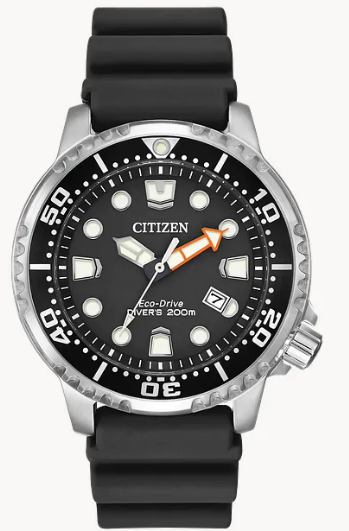
Citizen Promaster watches are designed for diving, aviation, and professional use, but the time adjustment is simple.
Steps
- Unscrew the crown (if the watch has a screw-down crown)
- Pull the crown to the second position
- Rotate the crown to adjust the hands
- Push the crown back and screw it down
Always screw the crown back tightly to maintain water resistance.
Troubleshooting Citizen Watch Time Settings
The hands move incorrectly
How to Set Time on a Citizen Watch (Eco-Drive, Skyhawk, Promaster & More)The watch may be in mode selection or world time mode.
Citizen watches are known for their precision, durability, and advanced technology. Many models use Eco-Drive solar power, radio-controlled timekeeping, or even GPS synchronization. Because of these features, setting the time on a Citizen watch can be slightly different depending on the model.
If you own a Citizen Eco-Drive, Skyhawk, Blue Angels, Promaster, or Navihawk, this guide will explain how to set the time correctly.
How to Set Time on a Citizen Eco-Drive Watch
Most Citizen Eco-Drive watches use a crown-based adjustment system similar to traditional analog watches but with additional modes.
Step 1 – Pull the Crown Out
Locate the crown on the side of the watch.
Pull the crown gently to the second click position. This activates the time setting mode.
Step 2 – Rotate the Crown
Turn the crown to move the hands forward or backward.
Adjust the watch until the correct time is displayed.
For better accuracy, many watchmakers recommend moving the minute hand slightly past the correct minute and then returning it back.
Step 3 – Push the Crown Back
Once the correct time is set, push the crown back to its original position.
The watch will resume normal operation.
How to Set Time and Date on a Citizen Eco-Drive Watch
Some Citizen watches also allow the date to be adjusted manually.
Step 1
Pull the crown to the first click.
Step 2
Rotate the crown until the correct date appears.
Avoid changing the date between 9 PM and 3 AM, because the internal calendar mechanism may already be engaged.
Step 3
Push the crown back to lock the settings.
How to Set Time on Citizen Eco-Drive Radio Controlled Watches
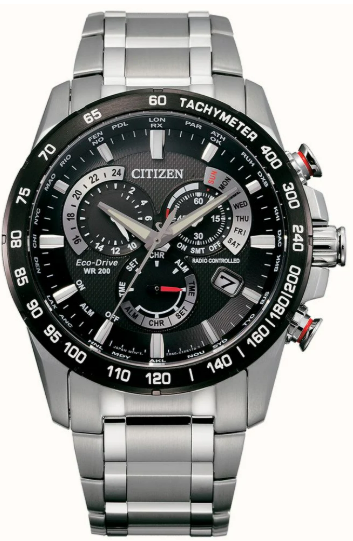
Some advanced Citizen watches automatically synchronize time using radio signals.
Examples include:
- Citizen Skyhawk
- Citizen Blue Angels
- Citizen Promaster Skyhawk
- Citizen PCAT
In these watches the time usually updates automatically.
Manual Sync Method
- Pull the crown out to the first position
- Rotate the crown until the RX or Receive mode appears
- Press the upper button
- Place the watch near a window
The watch will attempt to receive a time signal and adjust automatically.
How to Set Time on Citizen Skyhawk Eco-Drive
Citizen Skyhawk models include world time and aviation features, so the process is slightly different.
Steps
- Pull the crown out one click
- Rotate the crown to select your city or time zone
- Push the crown back in
The watch automatically adjusts the hands to the selected time zone.
How to Set Time on Citizen Blue Angels Watch
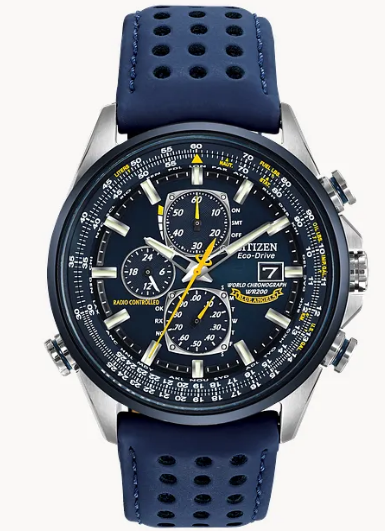
Blue Angels watches are based on the Skyhawk platform, so the process is similar.
- Pull the crown out one step
- Rotate to select the desired city code
- Push the crown back
The watch updates the time instantly.
Citizen Watch Time Setting for Popular Movements
Citizen uses different internal movements. The table below shows common movements and how the time is typically set.
| Citizen Movement | Watch Type | How to Set Time |
|---|---|---|
| E820 | Eco-Drive Chronograph | Pull crown to second position and rotate |
| E650 | Perpetual Calendar | Pull crown, rotate to set hands |
| E660 | Radio Controlled | Time updates automatically |
| U680 | Skyhawk | Select city using crown |
| H820 | Radio Controlled Eco-Drive | Automatic synchronization |
| H804 | Atomic Timekeeping | Manual or automatic sync |
How to Set Time on Citizen Promaster Watches
Citizen Promaster watches are designed for diving, aviation, and professional use, but the time adjustment is simple.
Steps
- Unscrew the crown (if the watch has a screw-down crown)
- Pull the crown to the second position
- Rotate the crown to adjust the hands
- Push the crown back and screw it down
Always screw the crown back tightly to maintain water resistance.
Troubleshooting Citizen Watch Time Settings
The hands move incorrectly
The watch may be in mode selection or world time mode.
Return the crown to the normal position.
The watch shows the wrong time zone
Select the correct city or region using the crown.
The watch does not update automatically
Radio controlled models require a strong signal, usually at night near a window.
Quick Tips for Citizen Watch Owners
- Always push the crown fully back after adjustments
- Avoid setting the date during late evening hours
- Keep Eco-Drive watches exposed to light regularly
- Check the user manual if your watch includes world time or GPS
Final Thoughts
Setting the time on a Citizen watch is straightforward once you understand the crown positions and available modes. While basic Eco-Drive watches adjust like traditional analog watches, advanced models such as the Skyhawk, Blue Angels, and Promaster series may include world time or automatic synchronization features.
With proper setup, a Citizen watch can maintain extremely accurate time with minimal maintenance.
Return the crown to the normal position.
The watch shows the wrong time zone
Select the correct city or region using the crown.
The watch does not update automatically
Radio controlled models require a strong signal, usually at night near a window.
Quick Tips for Citizen Watch Owners
- Always push the crown fully back after adjustments
- Avoid setting the date during late evening hours
- Keep Eco-Drive watches exposed to light regularly
- Check the user manual if your watch includes world time or GPS
Final Thoughts
Setting the time on a Citizen watch is straightforward once you understand the crown positions and available modes. While basic Eco-Drive watches adjust like traditional analog watches, advanced models such as the Skyhawk, Blue Angels, and Promaster series may include world time or automatic synchronization features.
With proper setup, a Citizen watch can maintain extremely accurate time with minimal maintenance.
Step 1 – Pull the Crown Out
Locate the crown on the side of the watch.
Pull the crown gently to the second click position. This activates the time setting mode.
Step 2 – Rotate the Crown
Turn the crown to move the hands forward or backward.
Adjust the watch until the correct time is displayed.
For better accuracy, many watchmakers recommend moving the minute hand slightly past the correct minute and then returning it back.
Step 3 – Push the Crown Back
Once the correct time is set, push the crown back to its original position.
The watch will resume normal operation.
How to Set Time and Date on a Citizen Eco-Drive Watch
Some Citizen watches also allow the date to be adjusted manually.
Step 1
Pull the crown to the first click.
Step 2
Rotate the crown until the correct date appears.
Avoid changing the date between 9 PM and 3 AM, because the internal calendar mechanism may already be engaged.
Step 3
Push the crown back to lock the settings.
How to Set Time on Citizen Eco-Drive Radio Controlled Watches
Some advanced Citizen watches automatically synchronize time using radio signals.
Examples include:
- Citizen Skyhawk
- Citizen Blue Angels
- Citizen Promaster Skyhawk
- Citizen PCAT
In these watches the time usually updates automatically.
Manual Sync Method
- Pull the crown out to the first position
- Rotate the crown until the RX or Receive mode appears
- Press the upper button
- Place the watch near a window
The watch will attempt to receive a time signal and adjust automatically.
How to Set Time on Citizen Skyhawk Eco-Drive
Citizen Skyhawk models include world time and aviation features, so the process is slightly different.
Steps
- Pull the crown out one click
- Rotate the crown to select your city or time zone
- Push the crown back in
The watch automatically adjusts the hands to the selected time zone.
How to Set Time on Citizen Blue Angels Watch
Blue Angels watches are based on the Skyhawk platform, so the process is similar.
- Pull the crown out one step
- Rotate to select the desired city code
- Push the crown back
The watch updates the time instantly.
Citizen Watch Time Setting for Popular Movements
Citizen uses different internal movements. The table below shows common movements and how the time is typically set.
| Citizen Movement | Watch Type | How to Set Time |
|---|---|---|
| E820 | Eco-Drive Chronograph | Pull crown to second position and rotate |
| E650 | Perpetual Calendar | Pull crown, rotate to set hands |
| E660 | Radio Controlled | Time updates automatically |
| U680 | Skyhawk | Select city using crown |
| H820 | Radio Controlled Eco-Drive | Automatic synchronization |
| H804 | Atomic Timekeeping | Manual or automatic sync |
How to Set Time on Citizen Promaster Watches
Citizen Promaster watches are designed for diving, aviation, and professional use, but the time adjustment is simple.
Steps
- Unscrew the crown (if the watch has a screw-down crown)
- Pull the crown to the second position
- Rotate the crown to adjust the hands
- Push the crown back and screw it down
Always screw the crown back tightly to maintain water resistance.
Troubleshooting Citizen Watch Time Settings
The hands move incorrectly
The watch may be in mode selection or world time mode.
Return the crown to the normal position.
The watch shows the wrong time zone
Select the correct city or region using the crown.
The watch does not update automatically
Radio controlled models require a strong signal, usually at night near a window.
Quick Tips for Citizen Watch Owners
- Always push the crown fully back after adjustments
- Avoid setting the date during late evening hours
- Keep Eco-Drive watches exposed to light regularly
- Check the user manual if your watch includes world time or GPS
Final Thoughts
Setting the time on a Citizen watch is straightforward once you understand the crown positions and available modes. While basic Eco-Drive watches adjust like traditional analog watches, advanced models such as the Skyhawk, Blue Angels, and Promaster series may include world time or automatic synchronization features.
| Model | Type | Time Setting Method |
|---|---|---|
| Citizen Skyhawk | Radio controlled | Select city / auto sync |
| Citizen Blue Angels | Aviation | Crown + city selection |
| Citizen Promaster Dive | Professional diver | Crown adjustment |
| Citizen Navihawk | Aviation chronograph | Crown + mode |
| Citizen PCAT | Atomic time | Automatic sync |
| Citizen Satellite Wave GPS | GPS sync | Satellite time signal |
