Timex watches are known for their reliability, simplicity, and iconic features like Indiglo backlight. The brand offers a wide range of models, including analog watches, digital sports watches, and popular collections such as the Timex Ironman and Expedition series.
Because of this variety, the process of setting the time on a Timex watch can differ depending on the model. However, most Timex watches follow a simple and intuitive system.
This guide explains how to set the time on a Timex watch, including analog, digital, and Ironman models.
- How to Set Time on a Timex Watch (Analog Models)
- Step 1 – Pull the Crown Out
- Step 2 – Rotate the Crown
- Step 3 – Push the Crown Back
- How to Set Time on a Timex Digital Watch
- Steps
- How to Set Time on a Timex Ironman Watch
- Steps
- How to Set Time on a Timex Indiglo Watch
- How to Set Time on a Timex Expedition Watch
- Steps
- How to Set Time and Date on a Timex Watch
- Steps
- Timex Watch Button Functions (Digital Models)
- Popular Timex Watches and Time Adjustment
- Common Problems When Setting Time on a Timex Watch
- The buttons do not work
- The time resets or changes incorrectly
- The date changes at the wrong time
- Quick Answer (Featured Snippet Block)
- Final Thoughts
- Author
How to Set Time on a Timex Watch (Analog Models)
Most Timex analog watches use a standard crown-based system.
Step 1 – Pull the Crown Out
Locate the crown on the side of the watch case and gently pull it outward.
Step 2 – Rotate the Crown
Turn the crown to move the hour and minute hands.
Adjust the time until it is correct.
Step 3 – Push the Crown Back
Push the crown back into place to resume normal operation.
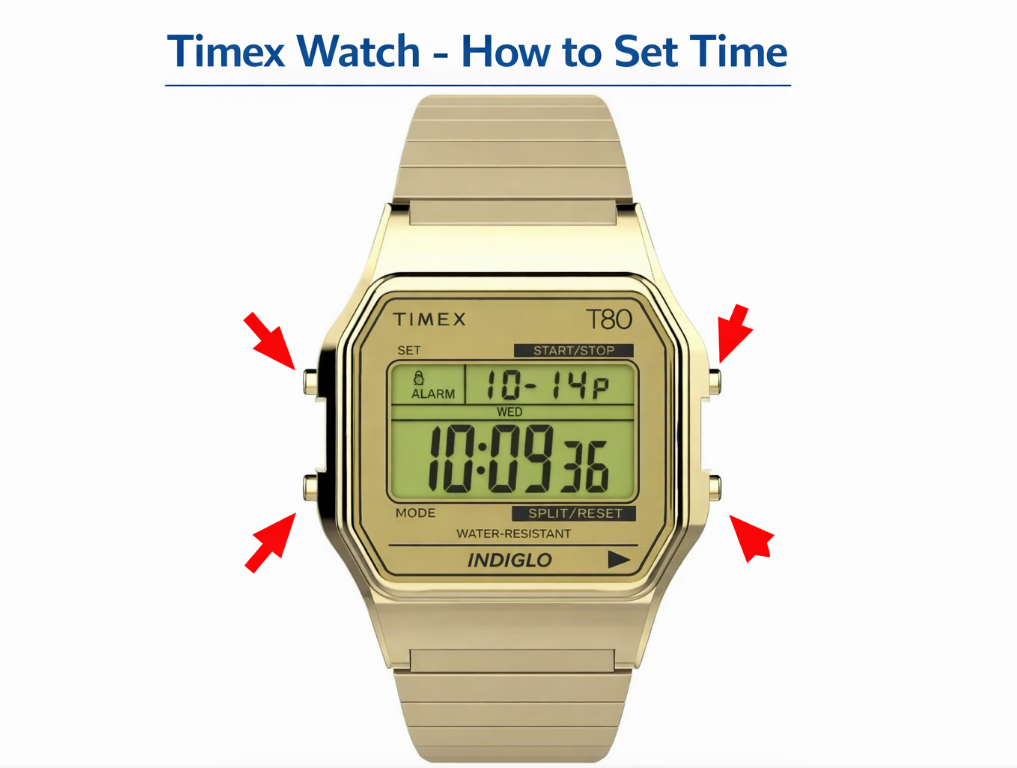
How to Set Time on a Timex Digital Watch
Digital Timex watches use buttons instead of a crown.
Typical buttons include:
- MODE
- SET
- START / STOP
- INDIGLO / LIGHT
Steps
- Press MODE until the time display appears
- Hold the SET button until the digits begin flashing
- Press MODE to switch between hours and minutes
- Use START / STOP to change the numbers
- Press SET again to confirm
This method works for most Timex digital watches.
How to Set Time on a Timex Ironman Watch
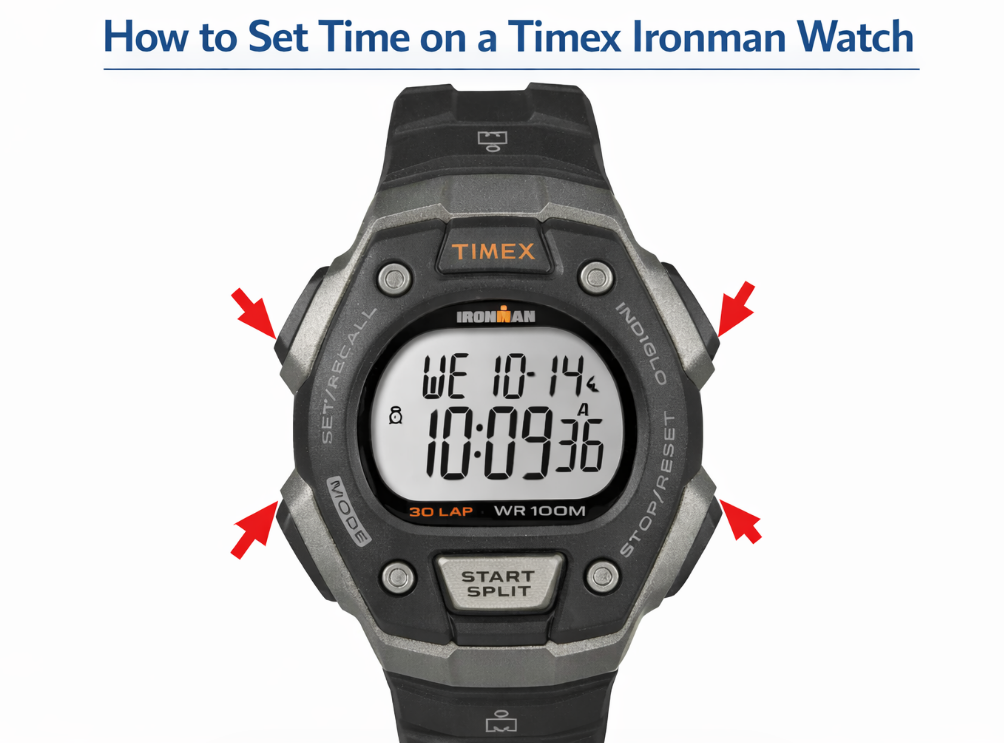
The Timex Ironman is one of the most popular digital sports watches.
Steps
- Press and hold the SET button
- The time digits will begin flashing
- Press MODE to move through settings
- Use START / STOP to adjust the values
- Press SET to save
Ironman watches often include additional features like lap timer, alarm, and multiple time zones.
How to Set Time on a Timex Indiglo Watch
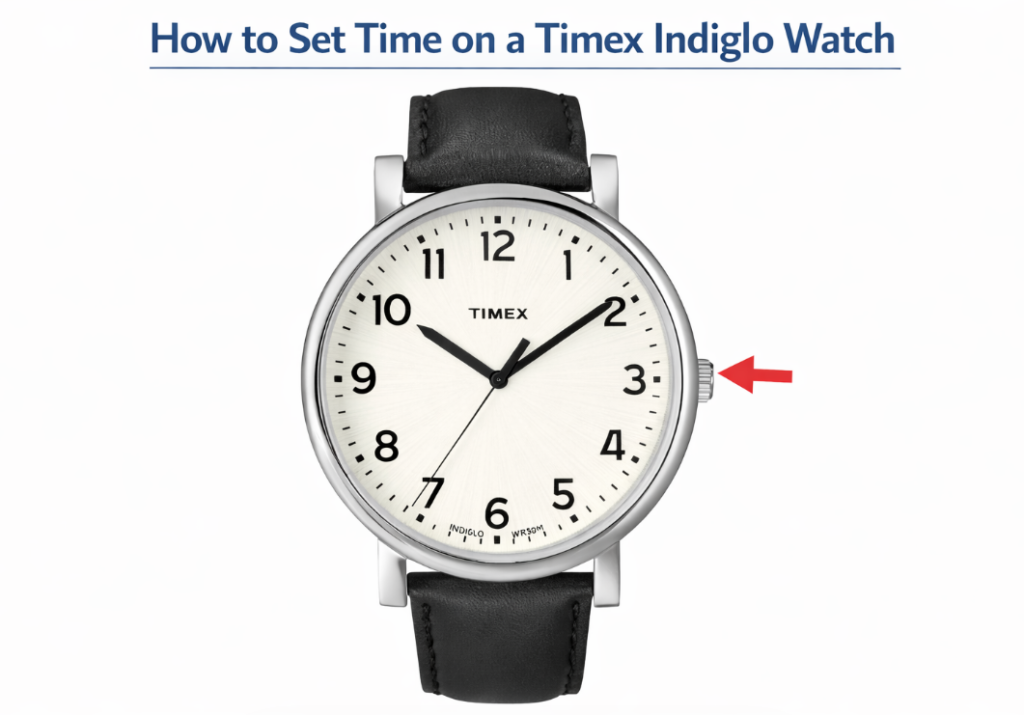
Indiglo refers to Timex’s signature backlight, not a separate time-setting system.
The process is the same as other Timex watches:
- Analog models → use the crown
- Digital models → use buttons
To activate the Indiglo light, press the LIGHT button.
How to Set Time on a Timex Expedition Watch
Timex Expedition watches are designed for outdoor use and usually feature an analog display.
Steps
- Pull the crown out
- Rotate to set the correct time
- Push the crown back in
Some Expedition models may also include a date function.
How to Set Time and Date on a Timex Watch
Many Timex watches allow you to adjust both time and date.
Steps
- Pull the crown to the first position to adjust the date
- Pull to the second position to set the time
- Rotate the crown to adjust
- Push the crown back to save
Avoid changing the date between 9 PM and 3 AM.
Timex Watch Button Functions (Digital Models)
| Button | Function |
|---|---|
| MODE | Switch between functions |
| SET | Enter settings |
| START / STOP | Adjust values |
| INDIGLO | Activate backlight |
Popular Timex Watches and Time Adjustment
| Model | Type | Time Setting Method |
|---|---|---|
| Timex Ironman | Digital sport | Button-based |
| Timex Expedition | Analog outdoor | Crown adjustment |
| Timex Indiglo | Analog / digital | Crown or buttons |
| Timex Marathon | Digital | Mode + Set buttons |
| Timex Classic | Analog | Crown adjustment |
Common Problems When Setting Time on a Timex Watch
The buttons do not work
Make sure the watch is in time mode, not stopwatch or alarm mode.
The time resets or changes incorrectly
This may indicate a low battery.
The date changes at the wrong time
The watch may be set 12 hours off.
Quick Answer (Featured Snippet Block)
To set the time on a Timex watch:
- Press MODE until the time screen appears
- Hold SET until the digits start flashing
- Press MODE to switch between settings
- Use START to adjust the numbers
- Press SET again to save
Final Thoughts
Setting the time on a Timex watch is simple once you understand whether your model uses a crown or buttons. Analog models rely on a crown system, while digital watches use a button-based interface.
With a few quick steps, you can easily adjust the time and keep your Timex watch accurate for everyday use.
