Most problems with VW Golf Car Key Battery Replacement – Complete Expert Guide (Mk4 to Mk8) begin with a small ambiguity—a missing model number, a similar case, or an assumed setting. Resolve that ambiguity first and the rest becomes a much narrower task.
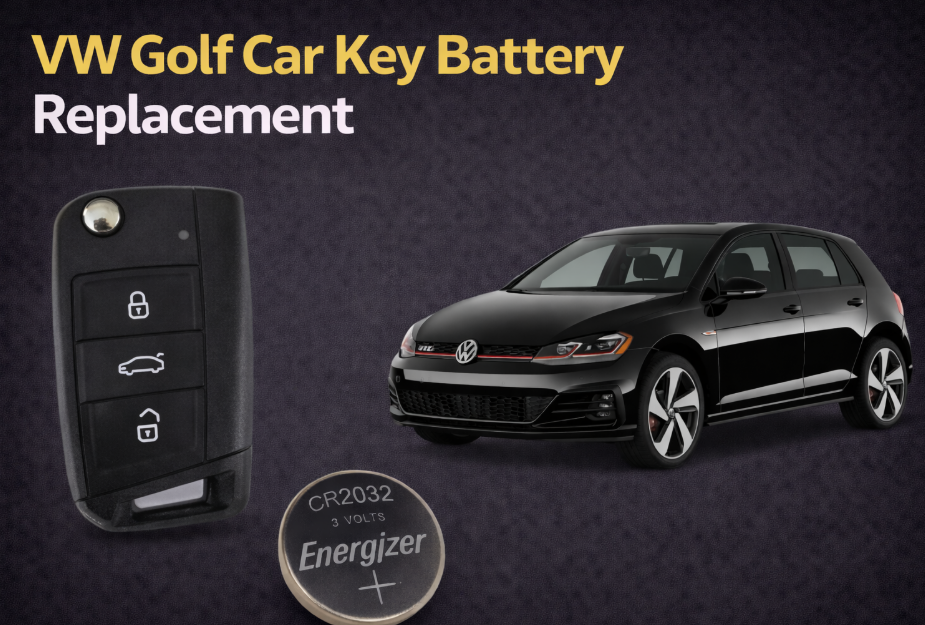
- Match the Case, Module, or Generation First: VW Golf Car Key Battery Replacement – Complete Expert Guide (Mk4 to Mk8)
- VW Golf Car Key Battery Replacement: Complete Guide for Every Generation
- VW Golf Key Battery by Generation
- Battery by Generation
- Golf 7 and Golf 8 Smart Keys
- The Replacement Path for This Key Housing
- How to Replace a VW Golf Key Battery
- Golf 7 (Mk7) Battery Replacement
- Golf 5 Battery Replacement
- Golf 8 Battery Replacement
- Where to Get a Replacement
- How to Get In When the Battery Is Dead
- Golf 4, Golf 5 and Golf 6 Flip Keys
- What Happens If the Battery Is Completely Dead?
- A New Battery Is Not Always the Whole Fix
- Where the Visual Identity Comes From
- Quick Answer
- What Battery Does a VW Golf Key Use?
- Buy by Part Number, Not by Appearance
- Where the Money Goes
- Author
Match the Case, Module, or Generation First: VW Golf Car Key Battery Replacement – Complete Expert Guide (Mk4 to Mk8)
VW Golf Car Key Battery Replacement: Complete Guide for Every Generation
Key batteries on the Golf rarely die without warning. What usually happens first is the remote range getting shorter — you find yourself standing closer to the car than you used to, then pressing the unlock button twice out of habit, and eventually the remote just stops responding at all. Nine times out of ten, the battery is the entire problem, and swapping it takes a few minutes once the case is open.
The part that actually trips people up isn’t the replacement — it’s figuring out which battery to buy. A Golf from the early 2000s and a Golf rolling off the line today don’t share a key design, and Volkswagen has revised both the fob shape and the battery type more than once over the years. Two Golf owners can end up buying completely different batteries despite driving cars with the same badge on the back.
Before you order anything, open the key and read the number printed on the battery that’s already inside. That number is a far more reliable guide than the car’s model year or a random forum thread — replacement keys get swapped onto older Golfs often enough that the year alone can’t be trusted.
VW Golf Key Battery by Generation
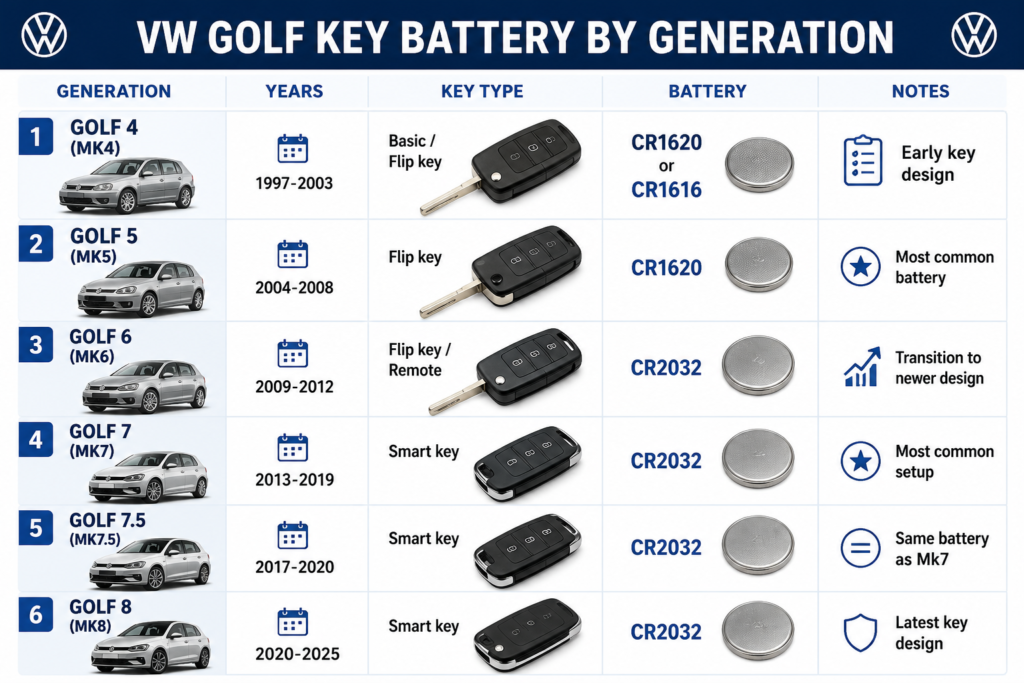
Battery by Generation
| Generation | Years | Key Type | Battery | Notes |
|---|---|---|---|---|
| Golf 4 (Mk4) | 1997–2003 | Basic / flip key | CR1620 or CR1616 | Early key design, varies by unit |
| Golf 5 (Mk5) | 2004–2008 | Flip key | CR1620 | Most common battery for this generation |
| Golf 6 (Mk6) | 2009–2012 | Flip key / remote | CR2032 | Transition point to the newer standard |
| Golf 7 (Mk7) | 2013–2019 | Smart key | CR2032 | The most common setup across the lineup |
| Golf 7.5 | 2017–2020 | Smart key | CR2032 | Same battery as the standard Mk7 |
| Golf 8 (Mk8) | 2020–2025 | Smart key | CR2032 | Current key design |
The table above will be correct for the vast majority of Golf owners.
If your key turns out to be different, don’t panic.
Volkswagen has supplied replacement keys for years, and some imported cars use a different key fob than you might expect.
When the battery inside the key doesn’t match the table, trust the battery rather than the production year of the car.
Golf 7 and Golf 8 Smart Keys
If you have a Mk7 or Mk8 key, you’re dealing with the simplest version Volkswagen has made.
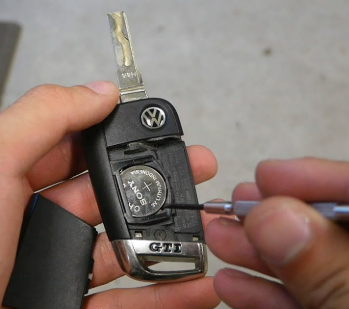
Slide out the emergency key first.
That exposes the point where the housing separates.
Use a small flat screwdriver or a plastic pry tool, twist gently, and the two halves will come apart.
Inside you’ll find a CR2032 battery.
Replace it with a new one, keeping the same orientation as the old battery, then press the housing back together until it clicks.
Before putting the key back in your pocket, test the lock and unlock buttons.
The whole job usually takes less time than finding a YouTube video explaining how to do it.
The Replacement Path for This Key Housing
How to Replace a VW Golf Key Battery
The core process barely changes across the range — what actually differs is the shape and age of the key housing itself.
Golf 7 (Mk7) Battery Replacement
The Mk7 key is probably the easiest one in the entire Golf range.
Slide out the emergency key and you’ll immediately see where the housing comes apart.
There’s no hidden screw and no complicated locking mechanism. A small flat screwdriver or plastic pry tool is all you need.
Inside sits a CR2032 battery.
Before lifting it out, take a quick look at which side is facing up. Installing the new battery the same way avoids the only mistake people commonly make with this key.
Clip the housing back together, test the buttons and you’re done.
The replacement usually takes less time than driving to a workshop.
Golf 5 Battery Replacement
Golf 5 keys deserve a little more patience.
Not because the battery is difficult to replace.
Because the key itself is getting old.
Many Mk5 Golfs are now well over fifteen years old, and the plastic clips that hold the case together have been through years of heat, cold and everyday use.
Open the housing slowly.
If one side doesn’t release easily, work around the edge instead of forcing the screwdriver deeper into the case.
The battery is cheap.
The plastic shell isn’t.
Golf 8 Battery Replacement
Although the Mk8 key looks more modern, the battery replacement feels very familiar.
Volkswagen didn’t change much here.
Remove the emergency key, separate the housing and replace the CR2032 with a new one.
If you’ve already changed the battery in a Golf 7 key, you’ll know exactly what to expect.
Where to Get a Replacement
CR2032, CR1620, and CR1616 cells are genuinely easy to find — supermarkets, electronics stores, auto parts retailers, gas stations, and any online marketplace will carry at least one of them. It’s rarely worth saving a dollar on an unknown, unbranded cell if the tradeoff is opening the case again in a few months because it underperformed.
How to Get In When the Battery Is Dead
Golf 4, Golf 5 and Golf 6 Flip Keys
The older flip keys deserve a little more patience.
Not because replacing the battery is difficult.
Because the plastic has aged.
Many of these keys are now fifteen or twenty years old, and the retaining clips aren’t as flexible as they were when the car left the factory.
Flip the key open, carefully work the housing apart and replace the old battery with the same type that came out.
If the case doesn’t separate easily, stop and try another edge instead of forcing it.
A replacement battery costs only a few dollars.
A cracked key shell costs considerably more.
What Happens If the Battery Is Completely Dead?
A flat battery won’t leave you locked out. Every Golf key hides a mechanical emergency key inside the fob body, so even with the electronics completely dead, you can still get the driver’s door open by hand.
Push-button-start models have a second safety net most owners don’t discover until they actually need it: holding the key fob directly against the start button lets the car detect the transponder chip even without any power left in the remote’s battery.
A New Battery Is Not Always the Whole Fix
If the key doesn’t work right after a fresh battery goes in, it’s rarely a sign you’ve damaged anything — the explanation is usually something simple.
One mistake shows up more than any other: a CR2025 looks close enough to a CR2032 to grab by accident, but the thickness difference is enough to break proper contact inside the case. Double-checking the exact four digits on the battery — not just the general shape — avoids this entirely.
Where the Visual Identity Comes From
Quick Answer
If you just need the battery size and nothing else:
- Golf 6, Golf 7, Golf 7.5, and Golf 8 — almost always CR2032
- Golf 5 — usually CR1620
- Golf 4 — either CR1620 or CR1616, depending on the specific key
Treat this as a strong starting point rather than a guarantee. Replacement keys are common enough, especially on older Golfs, that the battery already inside the case remains the safest reference every time.
What Battery Does a VW Golf Key Use?
People often assume every VW Golf key uses the same battery.
That would certainly make life easier.
It just isn’t how Volkswagen built them.
Over the years the company changed the key fob design several times, and each redesign brought small changes. Most modern keys use a CR2032, but if you’re driving an older Golf there’s a good chance you’ll find something different once you open the case.
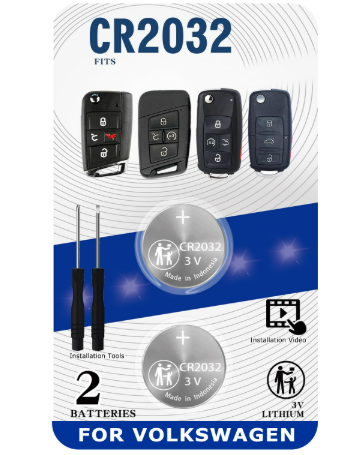
As a quick reference:
- Golf 7 (Mk7) – CR2032
- Golf 7.5 – CR2032
- Golf 8 (Mk8) – CR2032
- Golf 6 (Mk6) – usually CR2032
- Golf 5 (Mk5) – usually CR1620
- Golf 4 (Mk4) – CR1620 or CR1616
Treat that list as a guide, not a guarantee.
If the key has ever been replaced, repaired or bought second-hand, the battery inside is a far better reference than the model year printed on the registration document.
Buy by Part Number, Not by Appearance
This is one of the cheapest repairs you’ll ever do on a Golf:
For a job that usually takes under five minutes once you know what you’re doing, paying workshop labor rates often costs several times more than the part itself.
Where the Money Goes
Range loss almost always shows up well before the remote stops working entirely, so a Golf that’s started feeling “short-ranged” lately is worth a proactive battery check before it leaves you stuck. In practice, people are far more likely to buy the wrong battery than to install the correct one incorrectly — which is exactly why checking the number on the old cell matters more than memorizing a chart. And keeping a spare CR2032 in the glovebox sounds like overkill right up until the one day it isn’t.
Finish by testing every function you disturbed on VW Golf Car Key Battery Replacement – Complete Expert Guide (Mk4 to Mk8), not just the first button, display, lock, or door movement that returns.
