Before changing anything on Mazda CX-9 Key Fob Battery Replacement, identify the exact version and note the current control positions or battery polarity.
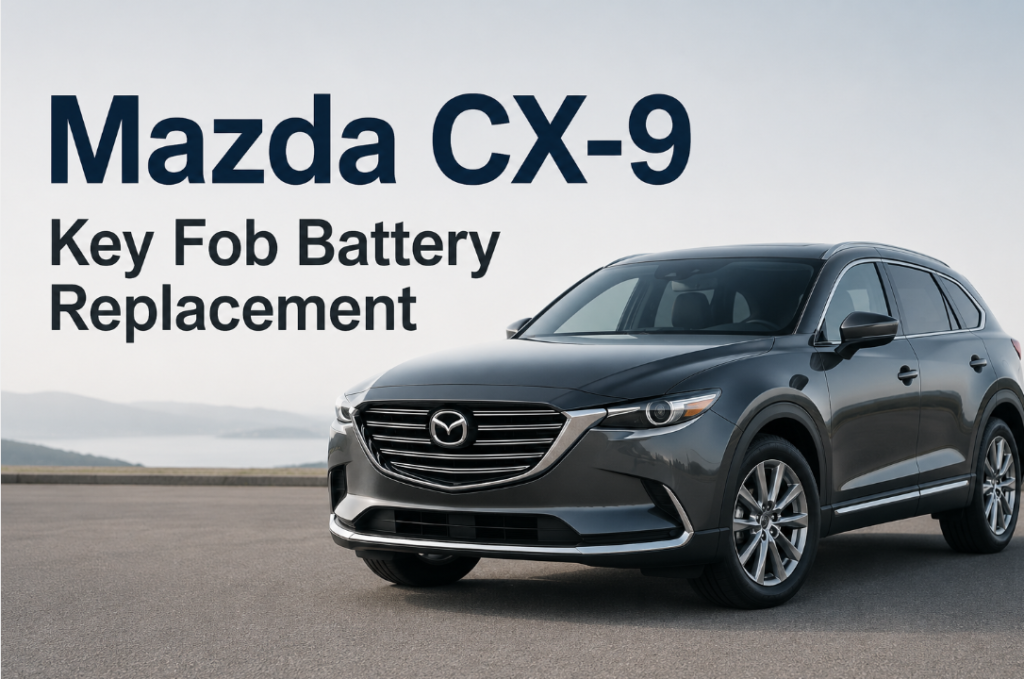
That Key Battery Low message on the dash, or a remote that only unlocks the doors when you’re standing right next to the car — both point to the same thing. The good news with the CX-9 is that this is one of the easier key fobs to service yourself, across every generation Mazda has built
Open the Fob and Replace the Cell
- DIY battery only: $3–$8
- Locksmith service: $10–$25
- Dealer service: $25–$50
Buying just the coin cell and doing it yourself runs $3–8 — genuinely one of the cheapest repairs you’ll do on this car. A locksmith will handle it for $10–25 if you’d rather not touch it yourself, and a dealer visit typically lands at $25–50 for what amounts to a two-dollar part and five minutes of labor. Unless you specifically want someone else to do it, DIY is the obvious call here — there’s no programming risk that would justify paying more.
A New Battery Is Not Always the Whole Fix
A fresh battery solves most of these complaints, but not always instantly. A few things worth checking before assuming something’s actually broken:
- Still shows Low Battery — double-check the battery is seated flat in the tray and facing the correct direction; a cell that’s slightly tilted can still make contact but trigger the low-voltage warning
- Remote range feels weak — try the fob again after a few lock/unlock cycles; sometimes it takes a moment to “wake up” fully after reassembly
- Push-button start doesn’t recognize the fob — hold the key directly against the start button rather than relying on it being somewhere in the cabin
- Locking works, unlocking doesn’t (or the reverse) — this is almost always a contact issue inside the tray rather than the battery itself; dust or a slightly bent contact pin can cause exactly this kind of one-directional inconsistency
Most of what looks like a “new battery didn’t fix it” problem traces back to one of three things: a cheap or already-weak replacement cell, the battery not sitting flush in the tray, or dust/corrosion on the contacts themselves rather than anything wrong with the fob’s electronics.
The Model Detail That Changes the Answer
Mazda CX-9 Key Fob Battery Type by Year
- 2007–2015 – older smart key, CR2025
- 2016–2025 – newer proximity smart key, CR2032
| Model Year | Generation | Key Style | Battery Type | Notes |
|---|---|---|---|---|
| Mazda CX-9 2007 | Gen 1 | Smart key | CR2025 | First generation CX-9 smart key featuring a mechanical key release and a basic, easy to service internal battery holder |
| Mazda CX-9 2008 | Gen 1 | Smart key | CR2025 | First generation CX-9 smart key featuring a mechanical key release and a basic, easy to service internal battery holder |
| Mazda CX-9 2009 | Gen 1 | Smart key | CR2025 | First generation CX-9 smart key featuring a mechanical key release and a basic, easy to service internal battery holder |
| Mazda CX-9 2010 | Gen 1 | Smart key | CR2025 | First generation CX-9 smart key featuring a mechanical key release and a basic, easy to service internal battery holder |
| Mazda CX-9 2011 | Gen 1 | Smart key | CR2025 | First generation CX-9 smart key featuring a mechanical key release and a basic, easy to service internal battery holder |
| Mazda CX-9 2012 | Gen 1 | Smart key | CR2025 | First generation CX-9 smart key featuring a mechanical key release and a basic, easy to service internal battery holder |
| Mazda CX-9 2013 | Gen 1 | Smart key | CR2025 | First generation CX-9 smart key featuring a mechanical key release and a basic, easy to service internal battery holder |
| Mazda CX-9 2014 | Gen 1 | Smart key | CR2025 | First generation CX-9 smart key featuring a mechanical key release and a basic, easy to service internal battery holder |
| Mazda CX-9 2015 | Gen 1 | Smart key | CR2025 | First generation CX-9 smart key featuring a mechanical key release and a basic, easy to service internal battery holder |
| Mazda CX-9 2016 | Gen 2 | Proximity key | CR2032 | Second generation proximity fob designed for stronger signal stability and a simplified battery tray for quick DIY servicing |
| Mazda CX-9 2017 | Gen 2 | Proximity key | CR2032 | Second generation proximity fob designed for stronger signal stability and a simplified battery tray for quick DIY servicing |
| Mazda CX-9 2018 | Gen 2 | Proximity key | CR2032 | Second generation proximity fob designed for stronger signal stability and a simplified battery tray for quick DIY servicing |
| Mazda CX-9 2019 | Gen 2 | Proximity key | CR2032 | Second generation proximity fob designed for stronger signal stability and a simplified battery tray for quick DIY servicing |
| Mazda CX-9 2020 | Gen 2 | Proximity key | CR2032 | Second generation proximity fob designed for stronger signal stability and a simplified battery tray for quick DIY servicing |
| Mazda CX-9 2021 | Gen 2 | Proximity key | CR2032 | Second generation proximity fob designed for stronger signal stability and a simplified battery tray for quick DIY servicing |
| Mazda CX-9 2022 | Gen 2 | Proximity key | CR2032 | Second generation proximity fob designed for stronger signal stability and a simplified battery tray for quick DIY servicing |
| Mazda CX-9 2023 | Gen 2 | Proximity key | CR2032 | Second generation proximity fob designed for stronger signal stability and a simplified battery tray for quick DIY servicing |
| Mazda CX-9 2024 | Gen 2 | Proximity key | CR2032 | Second generation proximity fob designed for stronger signal stability and a simplified battery tray for quick DIY servicing |
| Mazda CX-9 2025 | Gen 2 | Proximity key | CR2032 | Second generation proximity fob designed for stronger signal stability and a simplified battery tray for quick DIY servicing |
Which Battery Does Your CX-9 Actually Need
The CX-9 has really only gone through two key designs since it launched, and the battery follows the key style rather than the model year in some confusing way — so this part is simpler than it looks on paper.
2007–2015 (first generation): these use the older-style smart key with a mechanical key release built into the fob body, running on a CR2025 cell. It’s a simple, easy-to-access battery holder — Mazda didn’t overcomplicate this generation.
2016–present (second generation): the redesigned proximity key switched to a CR2032, Mazda’s move toward a fob built for more consistent signal range. The tray inside is slightly different from the first generation, but no less simple to open.
If you’re not sure which generation you have, the fastest way to check isn’t the model year — it’s the shape of the fob itself. The first-generation key has a boxier profile with a more visible mechanical key slot; the second-generation proximity fob is a bit sleeker. When in doubt, popping the case open for ten seconds tells you immediately, since the battery itself is usually printed with its own type.
How to Replace Mazda CX-9 Key Fob Battery
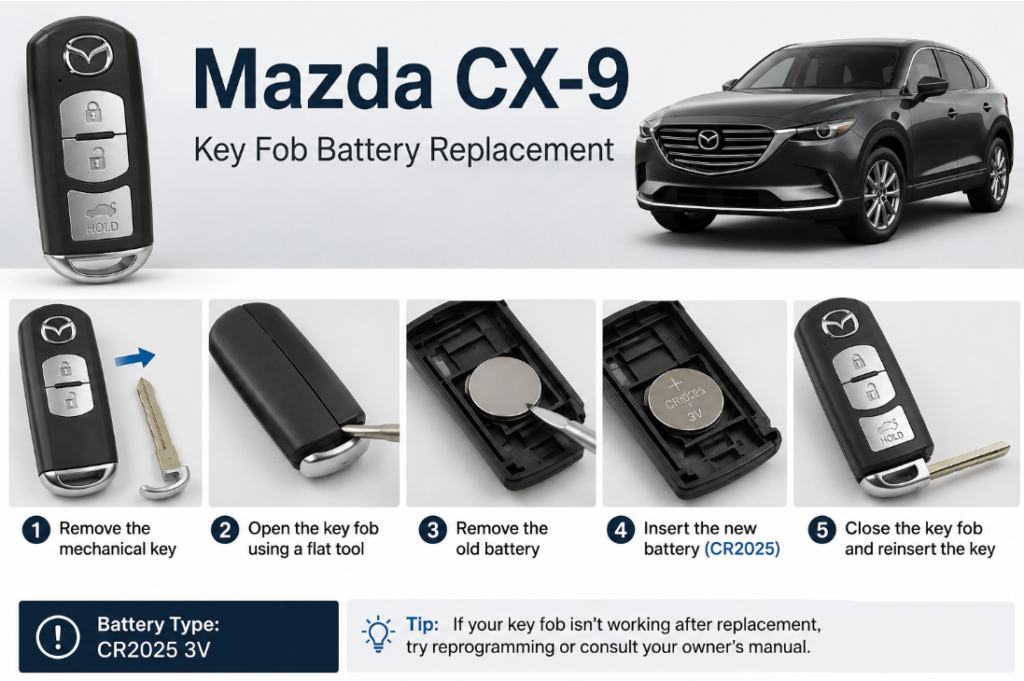
These steps apply to all generations, both smart and proximity keys.
1. Pull the emergency key out first. There’s a small release button or slide on the back of the fob — use it to free the mechanical key before you try to open anything.
2. Open the housing. Take that same metal key (or a small flathead/plastic pry tool if you don’t want to risk scratching anything) and slot it into the seam on the side of the fob. A gentle twist is usually all it takes to pop the two halves apart — resist the urge to force it if it doesn’t give immediately; you’re probably at the wrong seam.
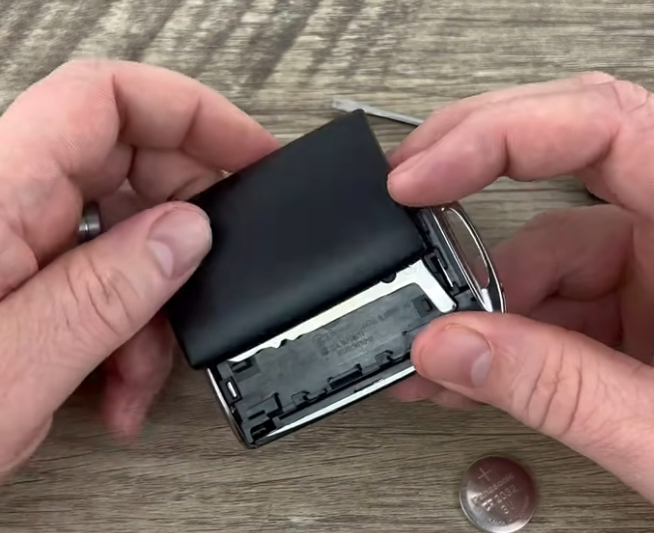
3. Lift the old battery out. It sits in a simple tray, no clips or tabs to fight with. Take a second here to actually confirm what you’re pulling out — CR2025 for a pre-2016 key, CR2032 if it’s the newer proximity design — rather than assuming based on the model year alone.
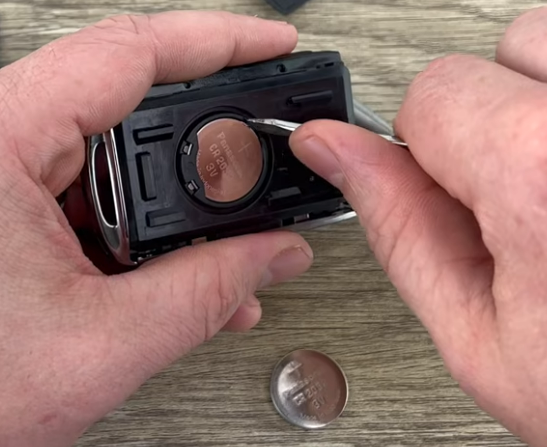
4. Drop the new battery in facing up. Positive side (the one with the printing) should face toward you as you insert it, matching however the old one sat in the tray.
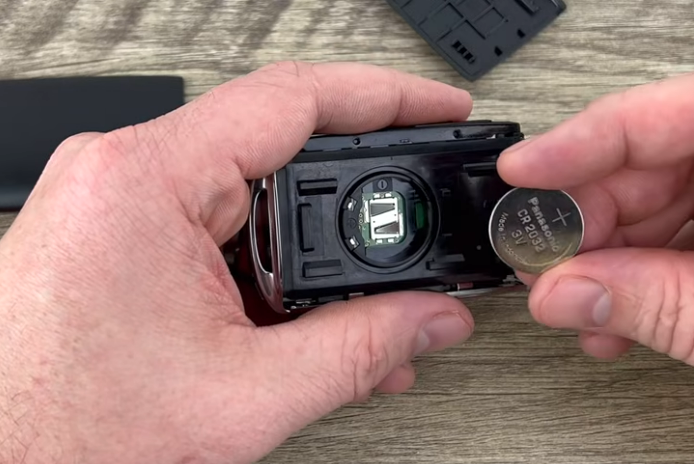
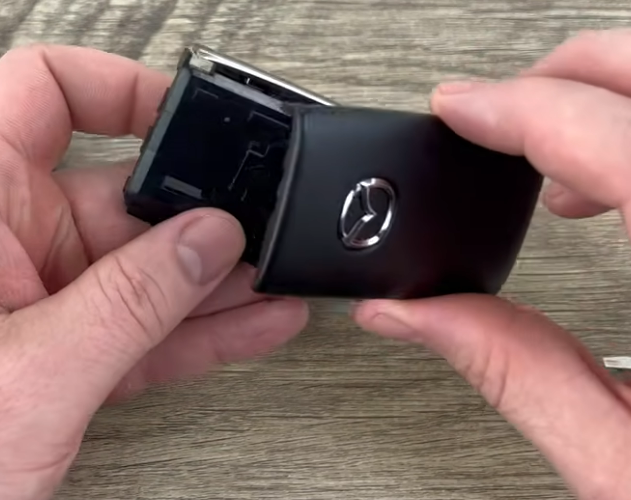
5. Snap the case shut and reinsert the emergency key. You shouldn’t need any real force here — if the halves aren’t lining up cleanly, the battery probably isn’t seated flat. The remote should start working the moment the case clicks together; there’s no pairing step and nothing to reset.
Choose Mazda CX-9 Key Fob Battery Replacement only if the strengths described here fit the way it will actually be used; a different use case can produce a different recommendation.
