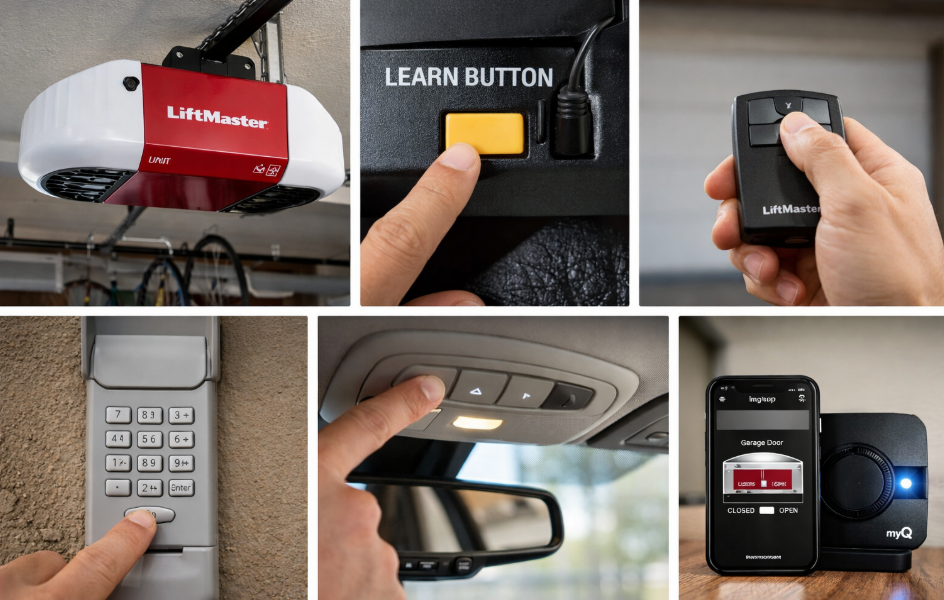
Programming a LiftMaster garage door opener is usually quick and straightforward, but the steps can vary depending on the model, remote type, keypad, or whether you are connecting it to a car or myQ app.
This guide covers all common LiftMaster programming scenarios – remotes, keypads, vehicles, myQ, resets, and troubleshooting – in one place.
- Before You Start Programming
- How to Program a LiftMaster Garage Door Opener (Basic Method)
- Step-by-Step Instructions
- LiftMaster Learn Button Colors and What They Mean
- Programming a LiftMaster Garage Door Opener Remote
- Steps
- Programming Multiple Remotes
- Programming a LiftMaster Keypad
- Steps
- Programming a LiftMaster Garage Door Opener to Your Car (HomeLink)
- General HomeLink Steps
- LiftMaster myQ Garage Door Opener Programming
- Steps to Set Up myQ
- How to Reset a LiftMaster Garage Door Opener
- Factory Reset Method
- Old LiftMaster Garage Door Opener Programming
- LiftMaster Garage Door Opener Manual PDF
- Common Programming Problems and Fixes
- Why Won’t My LiftMaster Garage Door Opener Program?
- Frequently Asked Questions
- Are LiftMaster garage door openers universal?
- Can I program a LiftMaster opener without a remote?
- How many remotes can a LiftMaster opener support?
- Final Tips for Successful LiftMaster Programming
- Author
Before You Start Programming
Before programming a LiftMaster garage door opener, make sure you have:
- A working LiftMaster opener with power
- A compatible remote, keypad, or vehicle system
- Access to the Learn button on the opener unit
- A ladder (for ceiling-mounted models)
Tip: Most LiftMaster openers manufactured after 2011 use Security+ 2.0 technology.
How to Program a LiftMaster Garage Door Opener (Basic Method)
This is the core method for programming LiftMaster garage door opener remotes.
Step-by-Step Instructions
- Locate the Learn button on the opener motor unit
- Usually near the antenna wire
- Button color may be yellow, purple, red, or green
- Press and release the Learn button
- The LED light will turn on for about 30 seconds
- Press the button on your remote control
- Hold for 1-2 seconds
- Release when the opener light flashes or clicks
- Test the remote
- The garage door should open or close
Your LiftMaster remote programming is now complete.
LiftMaster Learn Button Colors and What They Mean
| Learn Button Color | Technology | Typical Models |
|---|---|---|
| Yellow | Security+ 2.0 | 2011-present |
| Purple | Security+ | 2005-2011 |
| Red or Orange | Security+ | 1997-2005 |
| Green | Billion Code | 1993-1996 |
This matters for remote compatibility and troubleshooting.
Programming a LiftMaster Garage Door Opener Remote
- liftmaster garage door opener remote programming
- programming remote for liftmaster garage door opener
Steps
- Press the Learn button once
- Press the remote button you want to program
- Wait for the confirmation flash or click
- Test the remote
Programming Multiple Remotes
Repeat the same steps for each additional remote. LiftMaster openers can store up to 8 remotes, depending on the model.
Programming a LiftMaster Keypad
Keywords covered:
- liftmaster garage door opener keypad programming
- programming keypad for liftmaster garage door opener
Steps
- Press the Learn button on the opener
- Enter a 4-digit PIN on the keypad
- Press and hold the ENTER button
- Release when the opener light flashes
Pro tip: Choose a PIN that is easy to remember but not obvious.
Programming a LiftMaster Garage Door Opener to Your Car (HomeLink)
Keywords covered:
- liftmaster garage door opener programming to car
- programming liftmaster garage door opener with homelink
General HomeLink Steps
- Hold the HomeLink button in your car
- Press and hold the LiftMaster remote near the vehicle
- Release when the indicator changes
- Press the Learn button on the opener
- Return to the car and press HomeLink button for 2 seconds
If your vehicle does not program, your opener may require a HomeLink Compatibility Bridge.
LiftMaster myQ Garage Door Opener Programming
Keywords covered:
- liftmaster myq garage door opener programming
- liftmaster garage door opener programming wifi
Steps to Set Up myQ
- Download the myQ app
- Create or log into your account
- Add a new device
- Connect the opener to WiFi
- Test open and close from the app
myQ allows you to:
- Control the garage door from your phone
- Receive alerts
- Share access with family members
How to Reset a LiftMaster Garage Door Opener
Keywords covered:
- liftmaster garage door opener reset button
- liftmaster garage door opener reset code
Factory Reset Method
- Press and hold the Learn button for 6-10 seconds
- Release when the LED turns off
- All remotes and keypads are erased
You will need to reprogram all remotes and keypads after a reset.
Old LiftMaster Garage Door Opener Programming
Older LiftMaster models may use dip switches or different button sequences.
| Model Type | Programming Method |
|---|---|
| Pre-1997 | Dip switches |
| 1997-2005 | Red or green Learn button |
| 2005-2011 | Purple Learn button |
| 2011+ | Yellow Learn button |
If your opener does not have a Learn button, check the manual PDF for your exact model.
LiftMaster Garage Door Opener Manual PDF
Keywords covered:
- liftmaster garage door opener manual pdf
- liftmaster garage door opener manual free download
You can find official manuals by model number on LiftMaster’s support site. Always match the exact model number for accurate programming instructions.
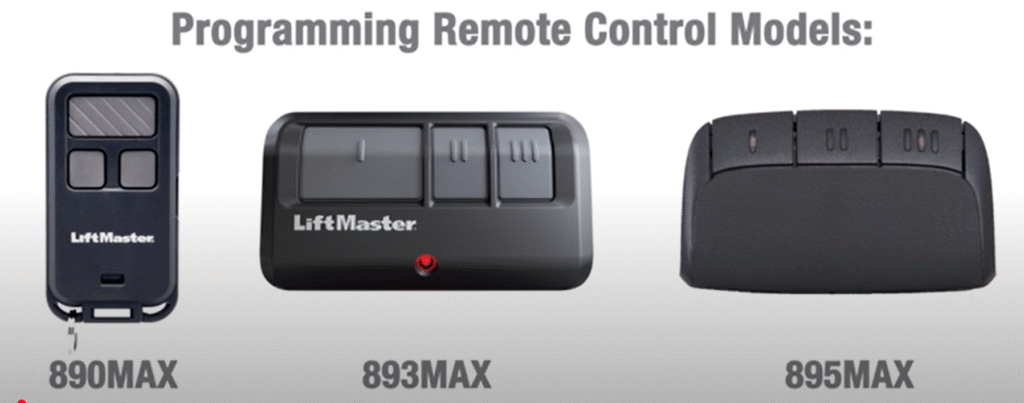
LiftMaster 890MAX, 893MAX, 895MAX Instructions – English, French, Spanish
Common Programming Problems and Fixes
Why Won’t My LiftMaster Garage Door Opener Program?
| Problem | Solution |
|---|---|
| Remote not working | Replace battery |
| Learn light not turning on | Check power |
| Car will not pair | Use compatibility bridge |
| Keypad not responding | Reset and reprogram |
| Programming fails after outage | Perform factory reset |
Frequently Asked Questions
Are LiftMaster garage door openers universal?
No. Remotes and keypads must match the opener’s technology and frequency.
Can I program a LiftMaster opener without a remote?
Yes, for keypads and myQ, but vehicles usually require an original remote.
How many remotes can a LiftMaster opener support?
Most models support 6-8 remotes.
Final Tips for Successful LiftMaster Programming
- Always check Learn button color first
- Replace remote batteries before troubleshooting
- Reset the opener if programming fails repeatedly
- Use official LiftMaster manuals for older models
