This page answers one practical question about How to Reprogram LiftMaster Remote & Keypad first, then explains only the checks that can change that answer.
Reprogramming a LiftMaster remote or keypad is a common task after replacing a remote, changing access codes, experiencing a power outage, or improving garage security. The process is straightforward once you know where the Learn button is and which steps apply to your setup.
This guide covers LiftMaster remote reprogramming, keypad reprogramming, and common issues that prevent successful pairing.
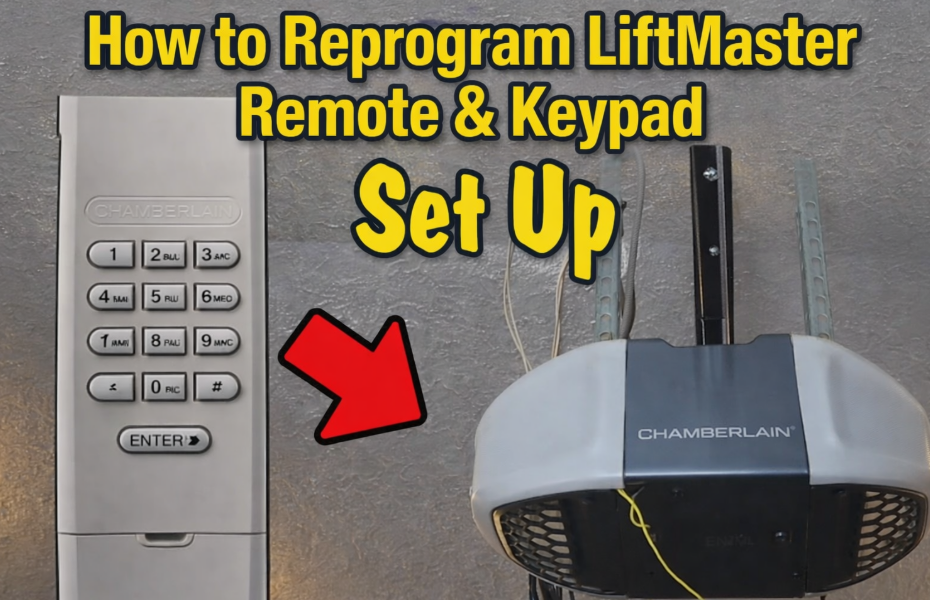
- What Must Be Available Before Pairing
- Follow the Controls, Not the Guesswork
- When You Need to Reprogram a LiftMaster Remote or Keypad
- How to Reprogram a LiftMaster Remote Control
- Step-by-Step: Reprogram LiftMaster Remote
- How to Reprogram a LiftMaster Keypad
- Step-by-Step: Reprogram LiftMaster Keypad
- Reset and Reprogram Keypad Without Knowing the Old Code
- Factory Reset Keypad Method
- Reprogram LiftMaster Remote After Power Outage
- Common LiftMaster Reprogramming Problems
- Remote Will Not Program
- Keypad Not Working After Programming
- Learn Button Not Responding
- Safety and Security Tip
- Frequency Is Only One Compatibility Check
- Author
What Must Be Available Before Pairing
Check these basics first:
- Your LiftMaster opener has a Learn button (most models do)
- The remote battery is fresh
- You know the current keypad PIN (or are ready to reset it)
- You are standing within range of the opener
Follow the Controls, Not the Guesswork
When You Need to Reprogram a LiftMaster Remote or Keypad
You should reprogram your LiftMaster system if:
- A remote or keypad stopped working
- You bought a new remote or wireless keypad
- You want to erase old remotes for security
- The opener was reset or lost memory
- You moved into a new home
How to Reprogram a LiftMaster Remote Control
This method works for most LiftMaster openers made after 1993.
Step-by-Step: Reprogram LiftMaster Remote
- Locate the Learn button on the motor unit
- Usually behind the light cover
- Often yellow, purple, red, or green
- Press and release the Learn button
- The LED will turn on for about 30 seconds
- Press and hold the button on your remote
- Hold for 2-3 seconds
- Release when the opener light blinks or clicks
- Test the remote
- Press the remote button
- The garage door should move
✅ The remote is now programmed.
How to Reprogram a LiftMaster Keypad
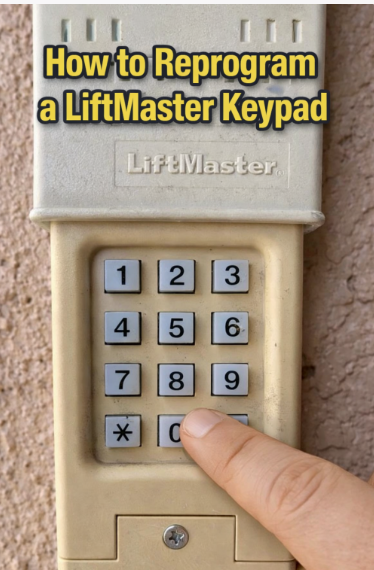
Keypads are programmed slightly differently but still use the Learn button.
Step-by-Step: Reprogram LiftMaster Keypad
- Press and release the Learn button on the opener
- Within 30 seconds, go to the keypad
- Enter a new 4-digit PIN
- Press and hold the ENTER button
- Release when the opener light blinks or clicks
- Test the keypad using the new PIN
Reset and Reprogram Keypad Without Knowing the Old Code
If you forgot the existing code, you can fully reset the keypad.
Factory Reset Keypad Method
- Press and hold the Learn button on the opener for 6-10 seconds
- LED turns off
- All remotes and keypads are erased
- Reprogram the keypad using the steps above
⚠️ You will need to reprogram all remotes after this reset.
Reprogram LiftMaster Remote After Power Outage
Most LiftMaster openers retain memory after outages, but if yours does not:
- Reprogram the remote using the standard Learn button method
- Replace the remote battery if pairing fails
- Check for blinking diagnostic LEDs on the opener
Common LiftMaster Reprogramming Problems
Remote Will Not Program
- Remote battery is weak
- Wrong remote model
- Learn button timing expired
- Opener memory is full
Keypad Not Working After Programming
- ENTER button not held long enough
- PIN entered incorrectly
- Wireless keypad battery low
Learn Button Not Responding
- Opener logic board issue
- Wall control lock feature enabled
- Electrical interference nearby
Safety and Security Tip
If a remote is lost or stolen, always erase all devices using the Learn button and reprogram only the ones you still own. This prevents unauthorized access.
Frequency Is Only One Compatibility Check
Choose How to Reprogram LiftMaster Remote & Keypad only if the strengths described here fit the way it will actually be used; a different use case can produce a different recommendation.
