Before changing anything on Garage Door Opener Light Stays On – Causes & Fixes, identify the exact version and note the current control positions or battery polarity.
If the light on your garage door opener stays on, it usually points to a setting issue, wiring problem, or a failing component. In most cases, this is easy to fix without calling a technician.
Below you’ll find all common causes, how to identify them, and step-by-step fixes for popular brands like LiftMaster, Chamberlain, Ryobi, and others.
- A Fast Diagnostic Order
- Why Does My Garage Door Opener Light Stay On?
- 5. Brand-Specific Issues
- LiftMaster / Chamberlain
- Ryobi
- Xtreme
- When the Light Won’t Turn Off At All
- Fix the Fault Without Masking It
- Most Common Causes (Quick Overview)
- Quick Reset (Try This First)
- Final Thoughts
- The Flash Pattern Is the Starting Point
- 1. Light Timer Is Set Too Long
- 2. Motion Sensor Keeps Triggering the Light
- 3. Wall Control Button Is Stuck or Faulty
- 4. Wiring or Sensor Issues
- Match the Radio System, Not Just the Brand
- Why does my garage door opener light keep burning out?
- Can a garage door opener open by itself due to light issues?
- Author
A Fast Diagnostic Order
Why Does My Garage Door Opener Light Stay On?
The most common reasons include:
- Light timer set too long
- Motion sensor triggering the light
- Wall control button stuck
- Wiring or logic board issue
- Smart features (myQ, Wi-Fi) misbehaving
Let’s break each one down.
5. Brand-Specific Issues
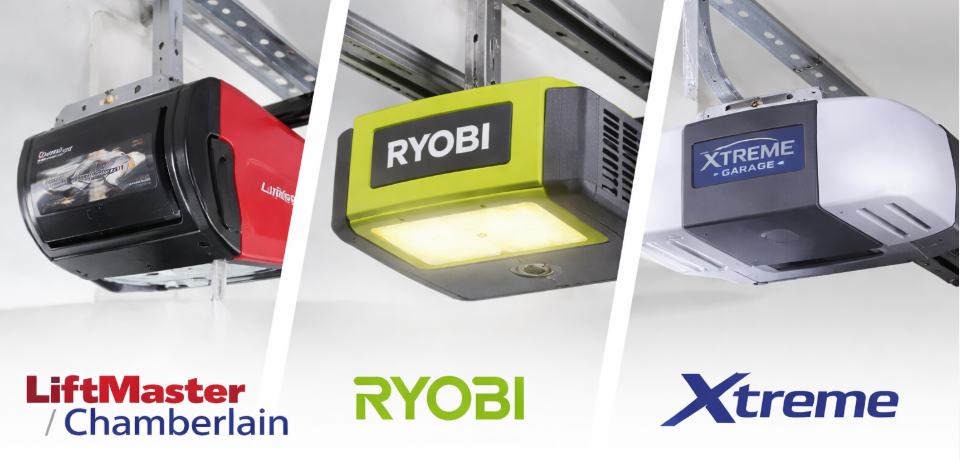
LiftMaster / Chamberlain
- Check Learn Button light behavior
- Disable motion sensing if enabled
- Reset the opener if the issue persists
Ryobi
- Known issue with LED modules
- Try firmware reset or LED replacement
Xtreme
- Light issues often tied to logic board
- Reset unit first before replacing parts
When the Light Won’t Turn Off At All
If the light on your garage door opener won’t turn off, even after resets:
Possible causes:
- Failed relay on logic board
- Shorted wall control wiring
- Burned-out LED driver
At this point, replacement may be more cost-effective than repair.
Fix the Fault Without Masking It
Most Common Causes (Quick Overview)
| Cause | What Happens | How Serious |
|---|---|---|
| Light timer setting | Light stays on too long | Easy fix |
| Motion sensor issue | Light keeps coming on | Easy |
| Wall control problem | Light won’t turn off | Medium |
| Wiring fault | Light behaves randomly | Medium |
| Logic board issue | Light stuck permanently | Advanced |
Quick Reset (Try This First)
- Unplug the opener for 60 seconds
- Plug it back in
- Test the light behavior
- Reset light timer settings
This often fixes:
- light on garage door opener stays on
- light on garage door opener won’t turn off
Final Thoughts
In most cases, a garage door opener light that stays on is not a serious failure. Timer settings, sensors, or wall controls are usually to blame and easy to fix.
If the problem persists after resets and inspections, the logic board may need replacement.
The Flash Pattern Is the Starting Point
1. Light Timer Is Set Too Long
Many openers allow you to adjust how long the light stays on.
Symptoms
- Light stays on for 5–10 minutes or more
- Turns off eventually
Fix
- Locate the Light Timer or Settings button on the opener or wall control
- Reduce the timer (usually 1.5–4.5 minutes)
- Save the setting
👉 This is the #1 cause of “garage door light stays on too long”.
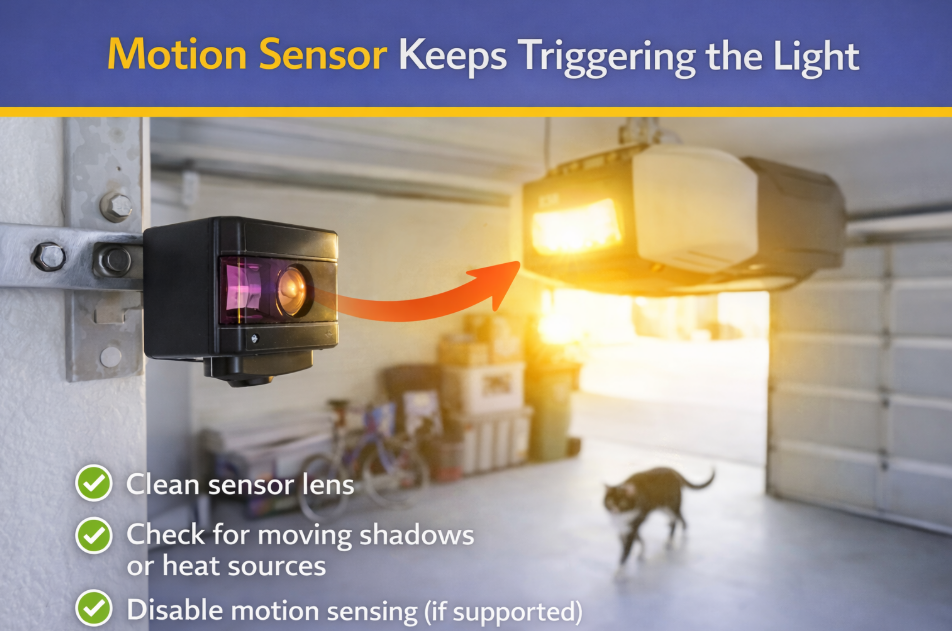
2. Motion Sensor Keeps Triggering the Light
Modern openers turn on the light when motion is detected.
Symptoms
- Light turns on by itself
- Light comes back on after turning off
- Happens more at night
Fix
- Clean the motion sensor lens
- Check for moving shadows, pets, or heat sources
- Disable motion sensing (if supported)
This commonly causes:
- why does my garage door opener light stay on
- garage door light stays on liftmaster
3. Wall Control Button Is Stuck or Faulty
A stuck wall button can keep the light circuit active.
Symptoms
- Light won’t turn off at all
- Door works but light stays on
Fix
- Inspect the wall control for a stuck button
- Disconnect wall control wires temporarily
- Replace wall control if needed
4. Wiring or Sensor Issues
Loose or damaged wiring may send false signals.
Symptoms
- Light comes on but door doesn’t open
- Light behavior is inconsistent
Fix
- Inspect sensor and wall control wiring
- Tighten loose connections
- Replace damaged wires
This explains:
- garage door opener light comes on but door doesn’t open
Match the Radio System, Not Just the Brand
Why does my garage door opener light keep burning out?
Cheap or incompatible LED bulbs can overheat. Always use garage-door-rated bulbs.
Can a garage door opener open by itself due to light issues?
No, but both symptoms may share the same wiring or logic board problem.
Record the model, module, battery, or receiver information you confirmed for Garage Door Opener Light Stays On – Causes & Fixes; that note will make the next service faster than repeating the lookup.
