BMW vehicles equipped with HomeLink allow you to program a garage door opener directly into the car, eliminating the need for a separate remote. This guide explains how BMW garage door opener programming works, including standard setup, rolling code systems, and cases where programming is done without the original remote.
The instructions apply to most BMW models and model years that use HomeLink.
- How BMW Garage Door Opener Programming Works
- BMW Models Commonly Covered by This Guide
- Standard BMW Garage Door Opener Programming (With Remote)
- Step 1: Clear Existing Programming
- Step 2: Program the BMW Button
- BMW Garage Door Opener Programming With Rolling Code Systems
- Step 3: Sync With the Opener Motor
- BMW Garage Door Opener Programming Without Remote
- When It May Work
- When It Will Not Work
- Rolling Code Programming Explained
- Compatibility Overview
- Common BMW Garage Door Opener Programming Issues
- Tips for Best Results
- When a Model-Specific Guide Is Needed
- Author
How BMW Garage Door Opener Programming Works
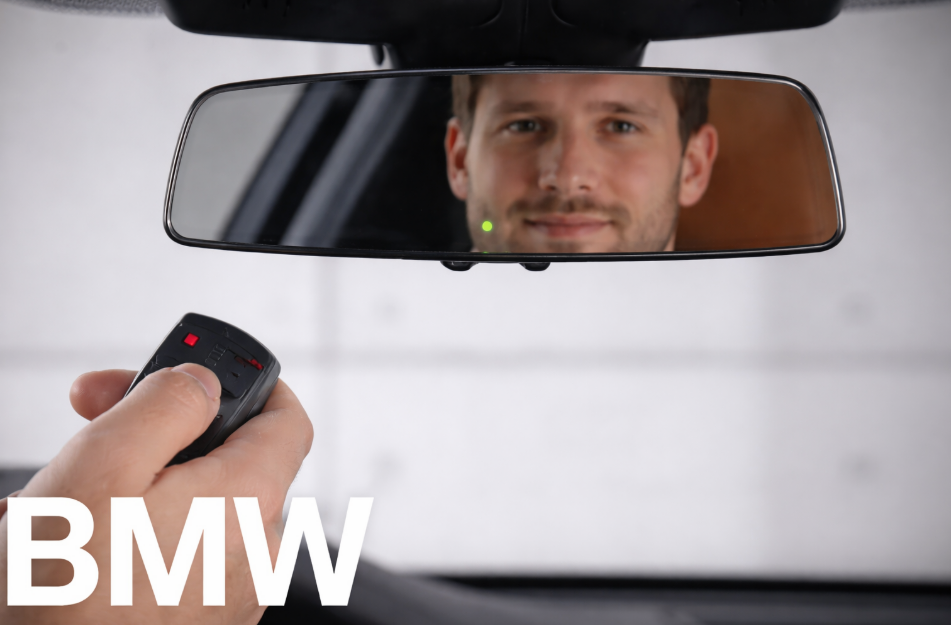
BMW uses HomeLink buttons located on the overhead console or rearview mirror. These buttons store the signal from your garage door opener and transmit it when pressed.
Programming typically consists of two stages:
- teaching the BMW system the remote signal
- synchronizing the vehicle with the garage door opener motor if a rolling code system is used
Most modern garage door openers require both steps.
BMW Models Commonly Covered by This Guide
This programming method applies to most BMW vehicles equipped with HomeLink. While button placement and menus may vary slightly, the logic remains the same.
| BMW Model Series | HomeLink Support |
|---|---|
| BMW 3 Series | Yes |
| BMW 4 Series | Yes |
| BMW 5 Series | Yes |
| BMW X3 / X5 / X7 | Yes |
| BMW i4 / iX | Yes |
| BMW M Series (with HomeLink) | Yes |
Model-year-specific walkthroughs are planned separately when required.
Standard BMW Garage Door Opener Programming (With Remote)
This is the recommended method and works in most cases.
Step 1: Clear Existing Programming
- Turn the ignition on.
- Press and hold the two outer HomeLink buttons.
- Hold until the indicator light flashes rapidly.
- Release both buttons.
This clears any previously stored garage door signals.
Step 2: Program the BMW Button
- Hold the garage door opener remote 1–3 inches from the HomeLink buttons.
- Press and hold the BMW HomeLink button you want to program.
- At the same time, press and hold the remote button.
- Continue holding until the BMW indicator light flashes rapidly.
- Release both buttons.
The BMW system has now learned the remote signal.
BMW Garage Door Opener Programming With Rolling Code Systems
Most LiftMaster, Chamberlain, and Genie openers use rolling codes.
Step 3: Sync With the Opener Motor
- Locate the Learn or Program button on the garage door opener motor.
- Press the Learn button once.
- Within 30 seconds, return to the BMW.
- Press and hold the programmed HomeLink button for two seconds, then release.
- Repeat up to three times until the garage door moves.
Once the door responds, programming is complete.
BMW Garage Door Opener Programming Without Remote
Programming without a remote is possible in limited scenarios.
When It May Work
- Some openers allow direct pairing via the Learn button.
- Press the Learn button on the opener motor.
- Press the BMW HomeLink button repeatedly until the door responds.
When It Will Not Work
- Older fixed-code systems often require the original remote.
- Many rolling code systems cannot pair without first capturing a remote signal.
If pairing fails, a compatible universal remote is usually required.
Rolling Code Programming Explained
Rolling code systems change the access code each time the door operates. This improves security but requires the BMW to be linked directly to the opener motor.
If the BMW garage door opener stops working after a power outage or reset, repeating the Learn button process usually restores operation.
Compatibility Overview
BMW HomeLink systems are generally compatible with the following opener brands:
| Garage Door Opener Brand | Compatibility |
|---|---|
| LiftMaster / Chamberlain | Yes |
| Genie | Yes |
| Craftsman | Yes |
| Linear | Yes |
| Older fixed-code systems | Limited |
Frequency mismatches or outdated opener logic can prevent successful programming.
Common BMW Garage Door Opener Programming Issues
- Indicator light does not change: remote battery may be weak or held too far away.
- Garage door does not respond after programming: rolling code sync was skipped.
- Programming works once and stops: opener memory may have been reset.
- BMW garage door opener programming without remote fails: remote signal required.
Tips for Best Results
- Program the system with the vehicle parked outside the garage.
- Replace remote batteries before starting.
- Avoid metal objects between the remote and the HomeLink buttons.
- Assign one garage door per HomeLink button.
When a Model-Specific Guide Is Needed
If your BMW uses menu-based programming, touchscreen confirmation, or has year-specific behavior, a dedicated guide is recommended. These pages are planned separately and linked where relevant.
