Programming a garage door opener to your car lets you open and close the garage without a handheld remote. Most modern vehicles use a built-in system like HomeLink or a mirror-mounted garage door opener. The process is usually quick, but it depends on the opener type and whether you still have a working remote.
Below is a clear, step-by-step guide covering the most common scenarios – with remote, without remote, and brand-specific notes where they actually matter.
- Before You Start
- Step 1 – Clear the Car’s Built-In Garage Door Opener Memory
- Step 2 – Program the Garage Door Opener to the Car (With Remote)
- Step 3 – Sync the Car With the Garage Door Opener Motor
- Programming Without a Remote (Important Limitations)
- When It Works
- When It Does Not
- Brand-Specific Notes That Matter
- LiftMaster and Chamberlain
- Genie
- Craftsman
- Common Programming Issues and Fixes
- Can You Program Multiple Garage Doors to One Car?
- Program Garage Door Opener to Car by Vehicle Brand
- Quick Brand Guide
- How to Program Garage Door Opener in a Toyota
- How to Program Garage Door Opener to a Ford
- How to Program Garage Door Opener to BMW, Lexus, Chevy
- Tesla Garage Door Opener Programming
- Troubleshooting Car Programming Issues
- Final Checklist
- Author
Before You Start
Make sure you know:
- Whether your car has a built-in garage door opener (HomeLink or similar)
- The brand of your garage door opener (LiftMaster, Chamberlain, Genie, Craftsman, etc.)
- If you still have a working remote (this changes the process)
Most issues happen because people skip the reset step or mix old codes with new ones.
Step 1 – Clear the Car’s Built-In Garage Door Opener Memory
This step prevents conflicts with old codes and is required on most vehicles.
- Turn the car ignition to ON (engine off is fine).
- Locate the garage door buttons on the visor or rearview mirror.
- Press and hold the two outer buttons at the same time.
- Hold for 10–20 seconds until the indicator light starts flashing rapidly.
- Release both buttons.
Your car garage door opener is now reset and ready to pair.
Step 2 – Program the Garage Door Opener to the Car (With Remote)
This is the most common and reliable method.
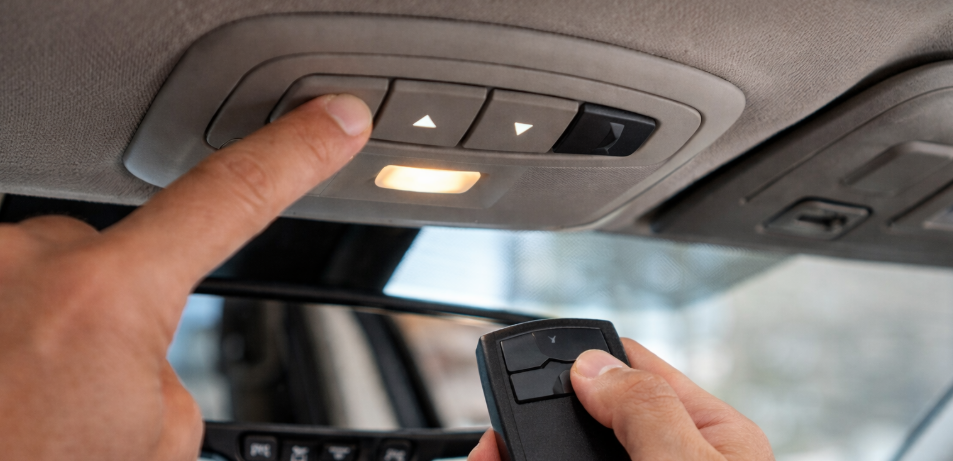
- Hold the garage door remote 1–3 inches from the car’s garage door opener button.
- Press and hold the desired button in your car.
- While holding the car button, press and hold the remote button.
- Keep holding both until the car’s indicator light changes (solid or rapid flash).
- Release both buttons.
At this point, the car and remote are synced, but many openers require one more step.
Step 3 – Sync the Car With the Garage Door Opener Motor
For newer rolling-code systems, you must complete this step at the opener unit.
- Go to the garage door opener motor.
- Press the Learn or Program button once.
- The light will stay on or blink.
- Within 30 seconds, return to your car.
- Press and hold the programmed car button for 2–3 seconds.
- Release and repeat up to three times if needed.
The garage door should move. If it does, programming is complete.
Programming Without a Remote (Important Limitations)
Many people search for how to program a garage door opener to car without remote.
Here is the honest answer:
- Some systems allow it.
- Many do not.
When It Works
- Certain older fixed-code systems
- Some Genie or Linear models with manual DIP switches
When It Does Not
- Most LiftMaster, Chamberlain, Craftsman models with rolling codes
- myQ-enabled openers
In those cases, a compatible remote is required for initial pairing.
Brand-Specific Notes That Matter
LiftMaster and Chamberlain
- Usually require a working remote for first-time pairing
- Always need the Learn button step
- myQ models still follow the same pairing process
Genie
- Often works similarly but may require multiple presses
- Intellicode systems need confirmation flashes
Craftsman
- Older units may use fixed codes
- Newer models behave like LiftMaster and Chamberlain
Common Programming Issues and Fixes
| Problem | Likely Cause | What to Do |
|---|---|---|
| Car button does nothing | Memory not cleared | Reset car buttons and retry |
| Door moves briefly then stops | Learn step not completed | Repeat Step 3 |
| Programming works once only | Rolling code sync failed | Reprogram using Learn button |
| No response at all | Incompatible system | Check opener type |
Can You Program Multiple Garage Doors to One Car?
Yes. Each car button can be programmed to a different garage door or gate.
Repeat the same steps for each button, starting with clearing only the unused button memory.
Program Garage Door Opener to Car by Vehicle Brand
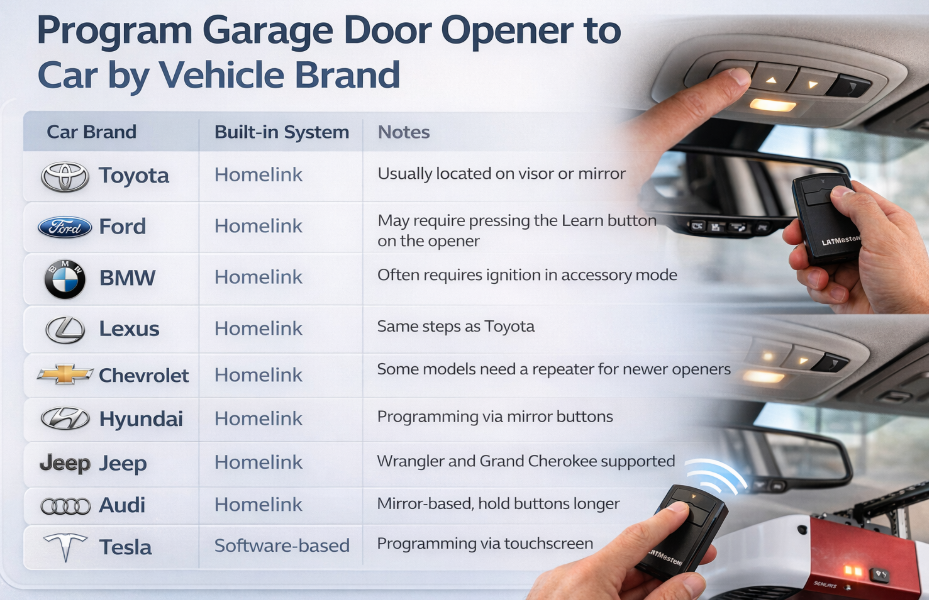
Most modern vehicles use a built-in garage door opener system (often Homelink or a similar integrated transmitter). The programming steps are similar, but some brands have small differences. Use the guide below to find the exact method for your car.
Quick Brand Guide
| Car Brand | Built-in System | Notes |
|---|---|---|
| Toyota | Homelink | Usually located on visor or mirror |
| Ford | Homelink | May require pressing the Learn button on the opener |
| BMW | Homelink | Often requires ignition in accessory mode |
| Lexus | Homelink | Same steps as Toyota |
| Chevrolet | Homelink | Some models need a repeater for newer openers |
| Hyundai | Homelink | Programming via mirror buttons |
| Jeep | Homelink | Wrangler and Grand Cherokee supported |
| Audi | Homelink | Mirror-based, hold buttons longer |
| Tesla | Software-based | Programming via touchscreen |
How to Program Garage Door Opener in a Toyota
- Turn the ignition to ON (engine off).
- Press and hold the two outer Homelink buttons until the LED flashes.
- Hold your garage remote 1–3 inches from the mirror.
- Press both buttons until the light changes.
- Press the Learn button on the garage opener.
- Return to the car and press the programmed button twice.
Supports:
- how to program garage door opener in car toyota
- how to program garage door opener to car toyota
How to Program Garage Door Opener to a Ford
- Turn ignition to accessory mode.
- Hold the desired Homelink button.
- Hold the garage remote close to the mirror.
- Wait for rapid flashing.
- Press the Learn button on the opener motor.
- Press the Homelink button in the car.
Supports:
- how to program garage door opener to car ford
- program garage door opener in car
How to Program Garage Door Opener to BMW, Lexus, Chevy
The process is nearly identical:
- Clear existing Homelink codes.
- Pair the remote with the in-car button.
- Use the garage opener Learn button if required.
Important:
- BMW and Audi often require holding buttons longer.
- Some Chevrolet models need a Homelink repeater for Security+ 2.0 openers.
Supports:
- how to program garage door opener to car bmw
- how to program garage door opener to car chevy
- how to program garage door opener to car lexus
Tesla Garage Door Opener Programming
Tesla uses a software-based system:
- Open Controls – Locks – Homelink.
- Tap Add New Homelink.
- Follow on-screen instructions.
- Press the Learn button on the garage opener when prompted.
Supports:
- garage door opener tesla
- garage door opener tesla model y
Troubleshooting Car Programming Issues
| Problem | Solution |
|---|---|
| Button flashes but does not open | Press Learn button on opener |
| Older opener not pairing | Try without remote or use manual mode |
| Programming without remote | Must use opener Learn button |
| Not working after pairing | Clear codes and retry |
Supports:
- how to program garage door opener to car without remote
- program garage door opener to vehicle
Final Checklist
Before assuming something is broken, confirm:
- Car memory was cleared first
- Remote battery is strong
- Learn button was pressed correctly
- Buttons were held long enough
Most failures come from rushing the process.
