The useful question is not whether Lockly smart lock battery – how to replace batteries and handle common battery issues is simply “good.” It is whether its limits, service needs, and strongest use case match the person choosing it.
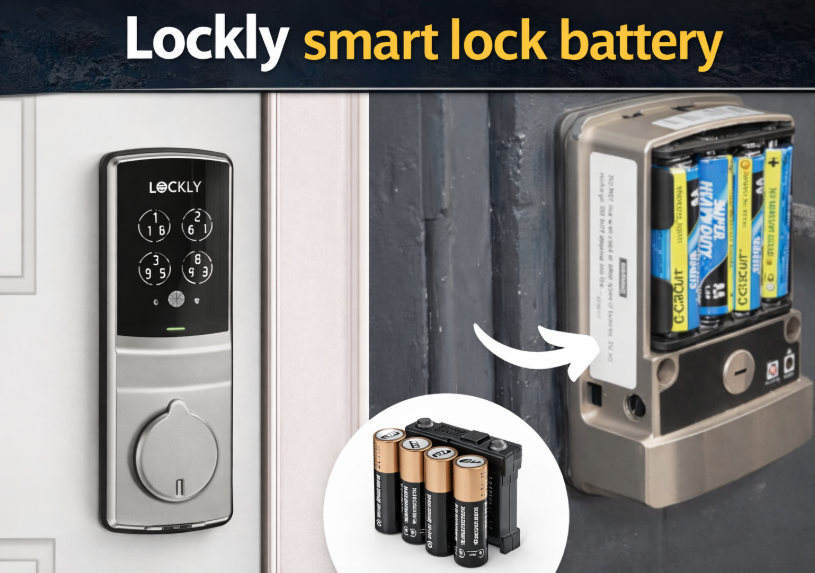
A Lockly smart lock battery problem usually gives you a warning before the lock stops working completely. The keypad may react more slowly, the lock may start beeping, or the app may show a low battery alert. In most cases, the fix is simple – replace the batteries early instead of waiting for a full shutdown.
Most users searching for Lockly smart lock batteries want a practical answer to a few basic questions: what battery type the lock uses, how to replace it, how long the batteries last, and what to do if the lock battery dies. This guide covers all of that in a simple format.
- What Shortens the Expected Run Time
- Lockly smart lock battery life
- Why Lockly batteries may drain fast
- Service the Battery Compartment in This Order
- What battery does a Lockly smart lock use?
- How to replace the batteries on a Lockly smart lock
- Tips for a smooth battery change
- Lockly smart lock battery dead – what to check first
- Does battery replacement affect Lockly programming?
- Lockly smart lock installation and battery performance
- Check These Failure Points in Order
- How the Device Behaves When Power Runs Out
- A Reference for the Next Service
- Author
What Shortens the Expected Run Time
Lockly smart lock battery life
Lockly smart lock battery life depends on several factors:
- how often the lock is used
- whether the model uses advanced smart features
- door alignment
- local temperature
- battery quality
- app activity and remote access frequency
A basic smart deadbolt usually lasts longer than a model that handles more connected functions. If you are researching Lockly smart lock battery life, that is the main reason real-life results can vary from one household to another.
Why Lockly batteries may drain fast
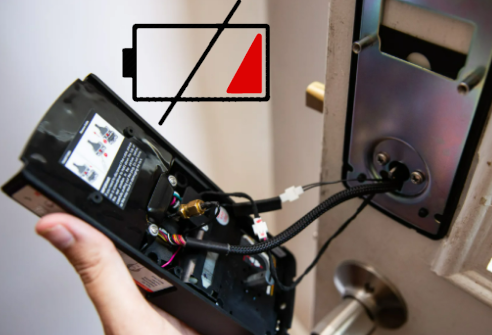
If your Lockly smart lock battery draining fast becomes a pattern, there is usually a practical reason behind it.
Door alignment issues. If the deadbolt rubs against the strike plate, the motor has to work harder every time.
Heavy daily use. A front door used many times a day will naturally drain batteries faster.
Smart feature activity. Frequent app use, notifications, remote locking, and connected functions can increase power use.
Low-quality batteries. Weak batteries can drop voltage earlier than expected.
Loose battery contact. If the batteries or cover do not sit firmly, the lock may behave like the batteries are failing even when they are not fully drained.
This also naturally supports searches around Lockly smart lock battery draining fast and general battery complaints.
Service the Battery Compartment in This Order
What battery does a Lockly smart lock use?
For many Lockly smart locks, the typical setup is AA batteries installed in the interior battery compartment. The exact number can vary by model, so the safest approach is always to check the inside battery tray or your model documentation before buying replacements.
If you are looking up the Lockly smart lock battery type, the key point is this: use the battery size and quantity designed for your exact lock, and replace the full set at the same time rather than mixing old and new batteries.
How to replace the batteries on a Lockly smart lock
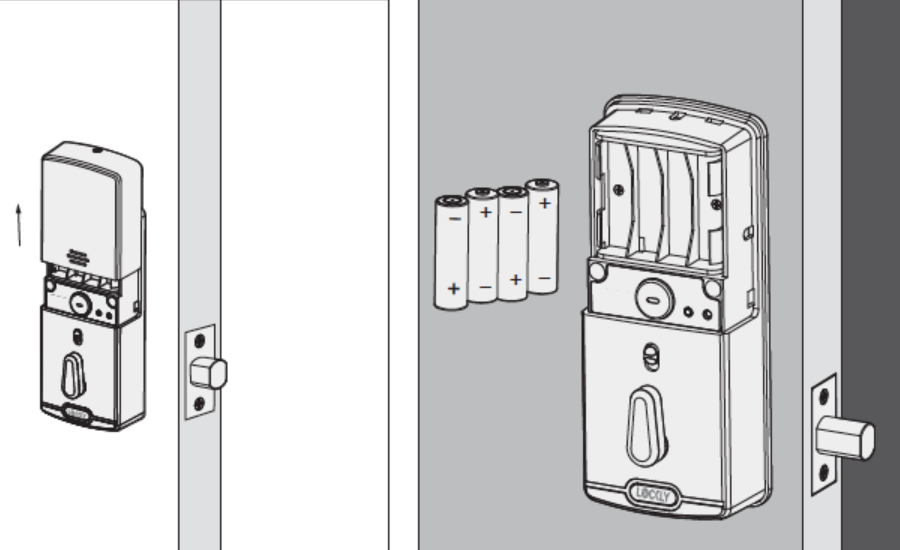
A Lockly smart lock battery replacement is usually straightforward.
- Open the door and keep it open during the whole process.
- Go to the inside part of the lock.
- Remove the battery cover.
- Take out the old batteries.
- Insert the new batteries in the correct direction.
- Reattach the battery cover securely.
- Test the lock before closing the door.
That covers the main intent behind Lockly smart lock battery replacement, Lockly smart lock battery change, Lockly door lock battery replacement, and Lockly door lock battery change.
Tips for a smooth battery change
A battery swap is simple, but small mistakes can cause problems right away.
Replace the full set. Do not mix old and new batteries.
Check polarity carefully. One battery installed backward can stop the lock from working.
Make sure the cover fits properly. A loose cover can cause weak contact.
Test with the door open. This helps avoid lockouts while you check the lock.
Use good batteries. Cheap batteries can cause unstable performance and shorter battery life.
These basic steps help avoid many problems people run into right after battery replacement.
Lockly smart lock battery dead – what to check first
If the lock seems completely dead, go through the basics before assuming something major is wrong.
Check whether the batteries are installed correctly. One reversed battery is enough to stop the lock.
Remove and reinstall the full set. A quick clean reinstall often solves contact problems.
Inspect the battery contacts. Dirt, corrosion, or a weak connection can interrupt power.
Make sure the battery cover is seated fully. A loose cover can reduce contact pressure.
Test the lock with the door open. This makes troubleshooting much easier.
This helps cover Lockly smart lock battery dead and Lockly battery dead without forcing the phrases unnaturally.
Does battery replacement affect Lockly programming?
Usually no. A normal battery swap should not erase the main programming on the lock. However, some users naturally check their settings after power-related issues, which is why searches like Lockly smart lock programming often overlap with battery problems.
If the lock starts behaving oddly after battery replacement, first check the battery installation itself before assuming you need to reprogram anything.
Lockly smart lock installation and battery performance
Battery life and installation often go together. If the lock was not installed squarely, or if the deadbolt does not move freely into the strike plate, the motor can draw more power than normal.
That is why people looking for how to install Lockly smart lock often end up with battery questions later. A slightly misaligned lock may still work, but it can wear through batteries much faster over time.
Check These Failure Points in Order
A normal battery change usually does not mean you need to set the lock up again. In many cases, your codes and normal settings stay in place.
Still, after replacing the batteries, it is smart to test the basics:
- keypad response
- lock and unlock function
- app connection
- auto-lock if enabled
- fingerprint function if your model supports it
This section helps support Lockly smart lock instructions in a useful way without turning the article into a manual.
How the Device Behaves When Power Runs Out
If you end up with a Lockly battery dead situation, the exact backup method depends on the model. In general, once the internal batteries are fully drained, the lock may stop responding from the keypad and app until power is restored.
That is why it is always better to replace batteries as soon as the low battery warning appears rather than waiting for a full failure. A smart lock that is already showing weak battery behavior can stop at the most inconvenient time.
A Reference for the Next Service
That table keeps the model references useful without forcing them awkwardly into every paragraph.
Record the model, module, battery, or receiver information you confirmed for Lockly smart lock battery – how to replace batteries and handle common battery issues; that note will make the next service faster than repeating the lookup.
